A new user signs up for your SaaS product. They're excited. They hit "Create Account" and wait for the confirmation email that will let them in.
It doesn't arrive.
They check spam. Nothing. They try again. Still nothing. After two minutes of confusion, they close the tab and don't come back.
It's a deliverability problem caused by something far more preventable: sending transactional and marketing emails through the same infrastructure, with no separation, no strategy, and no awareness that these two types of email play by completely different rules.
What Each Type of email Actually is
Let's start with the basics, because the definitions matter more than most people realise.
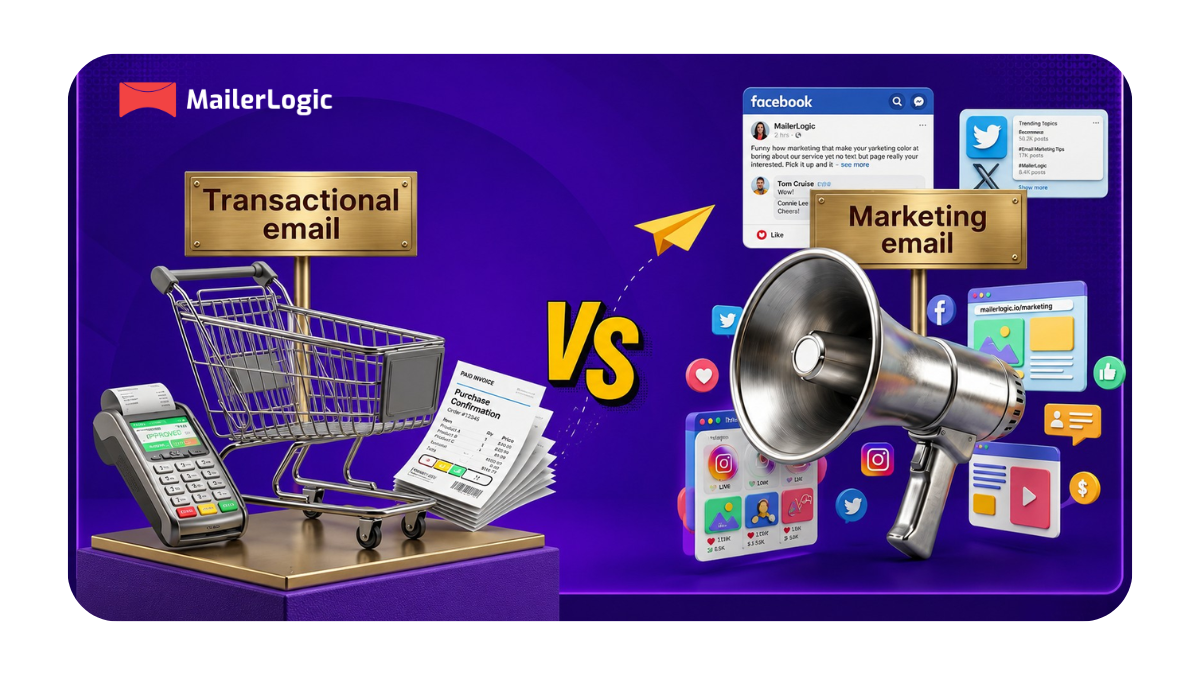
Transactional email is any email sent in direct response to something a user did. It's one-to-one, triggered, and functional. The user took an action, signed up, reset a password, made a payment, and the email exists to complete or confirm that action. It's expected. In fact, the user is usually watching their inbox for it.
Common examples in SaaS:
- Email verification on signup
- Password reset links
- Two-factor authentication codes
- Payment receipts and invoices
- Trial expiry notifications
- Usage alerts and account security notices
- Billing failure warnings
Marketing email (also called promotional or commercial email) is any email you proactively send to a group of users or subscribers to drive a business outcome. It's one-to-many, intentional, and persuasive. The user hasn't necessarily done anything to trigger it; you've decided to reach out.
Common examples in SaaS:
- Product newsletters
- New feature announcements (with a promotional angle)
- Upgrade nudges and upsell campaigns
- Onboarding drip sequences
- Re-engagement campaigns
- Event invitations and webinar promotions
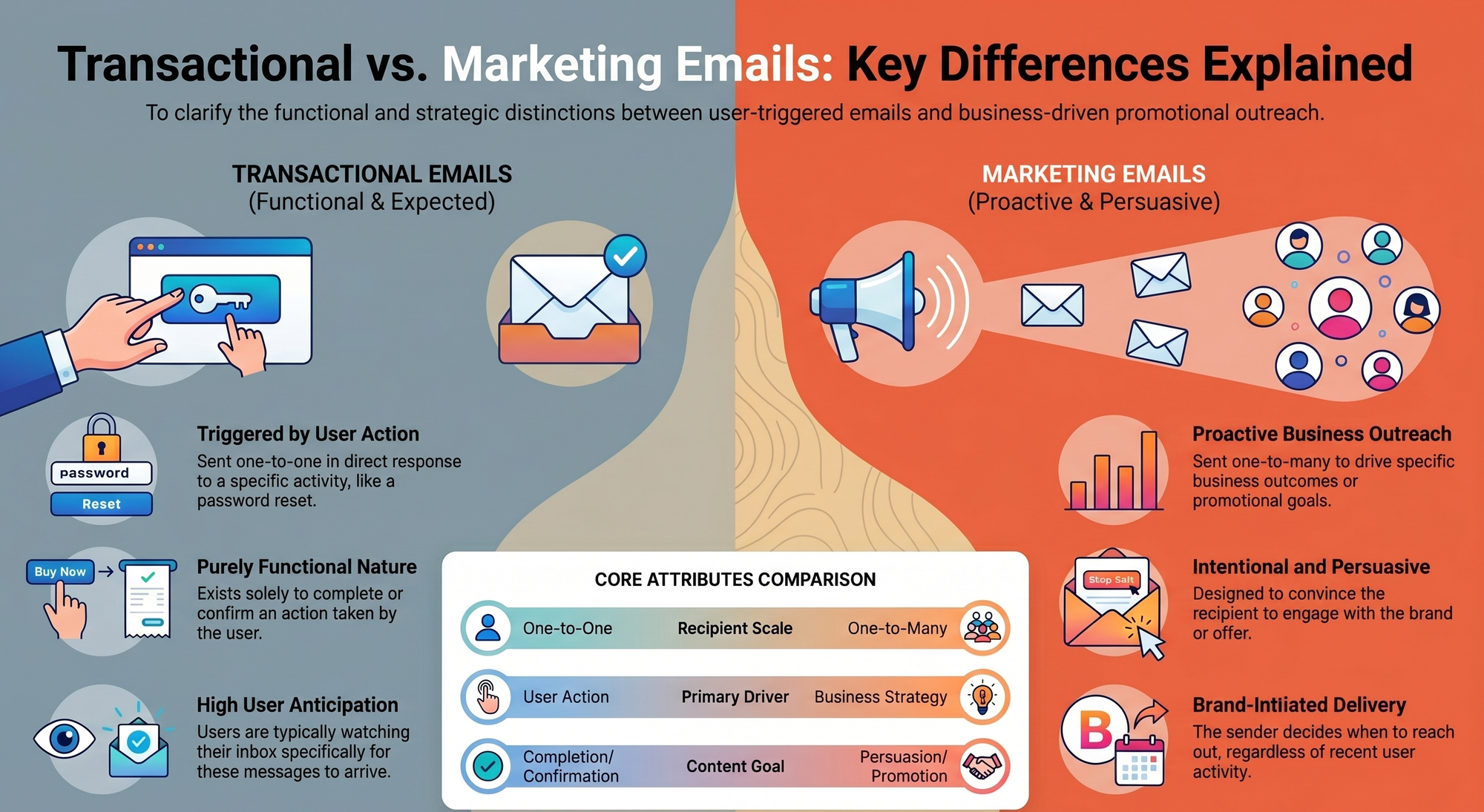
The clearest way to remember the difference: a transactional email tells a user what just happened, while a marketing email tries to get a user to do something next.
Side-by-Side Comparison
| Transactional Email | Marketing Email | |
|---|---|---|
| Trigger | User action or system event | Sender-initiated campaign |
| Audience | Individual recipient | Segment or full list |
| Opt-in required? | No | Yes |
| Unsubscribe link required? | No (under CAN-SPAM) | Yes — mandatory |
| Primary goal | Inform / complete a transaction | Promote / convert / retain |
| Content | Personalised, action-specific | Generalised, promotional |
| Typical open rate | 50–80% | 20–45% |
| Sending method | API or SMTP (triggered) | ESP campaign tool or API |
| Compliance framework | Lighter (CAN-SPAM exemption) | Stricter (CAN-SPAM, GDPR) |
| Deliverability sensitivity | Extremely high — must land | Lower — more forgiving |
Why Mixing Them is a Costly Mistake
Here's where most SaaS teams quietly create problems for themselves.
When you send both transactional and marketing emails from the same IP address and the same domain, their sending reputations are tied together. That means if your marketing campaign generates spam complaints, which even well-run campaigns sometimes do, that negative signal bleeds into your transactional reputation too.
The result?
Your password resets start hitting spam folders. Your OTP codes arrive late. Your payment confirmation emails go missing. And users start filing support tickets asking why they never received the email that was supposed to let them in.
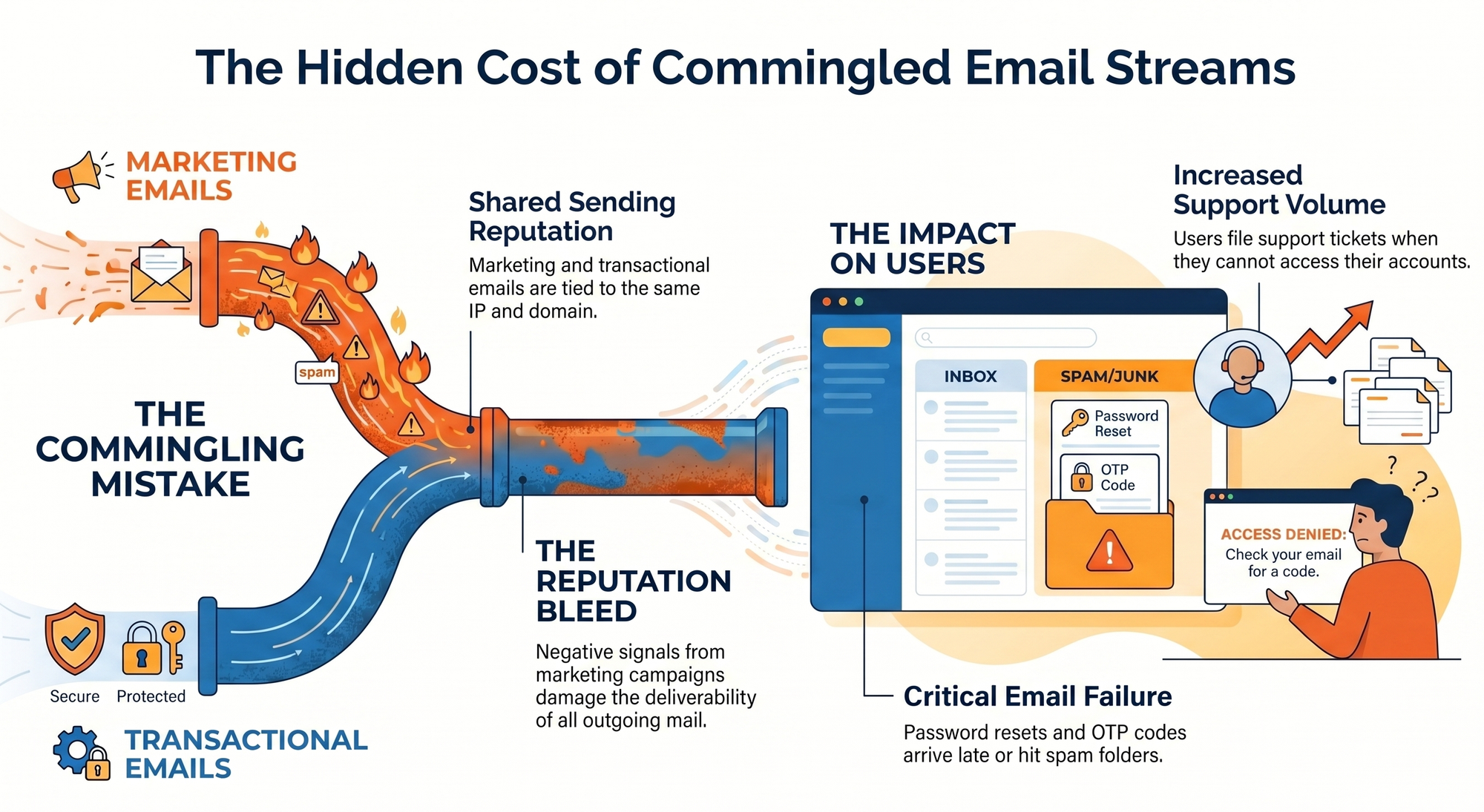
This isn't a theoretical risk. Research consistently shows that marketing emails generate higher complaint rates than transactional ones, precisely because recipients didn't specifically ask for them. When those complaints are associated with your sending domain, mailbox providers like Gmail and Outlook start treating everything from that domain with more suspicion, including the critical emails users are actively waiting for.
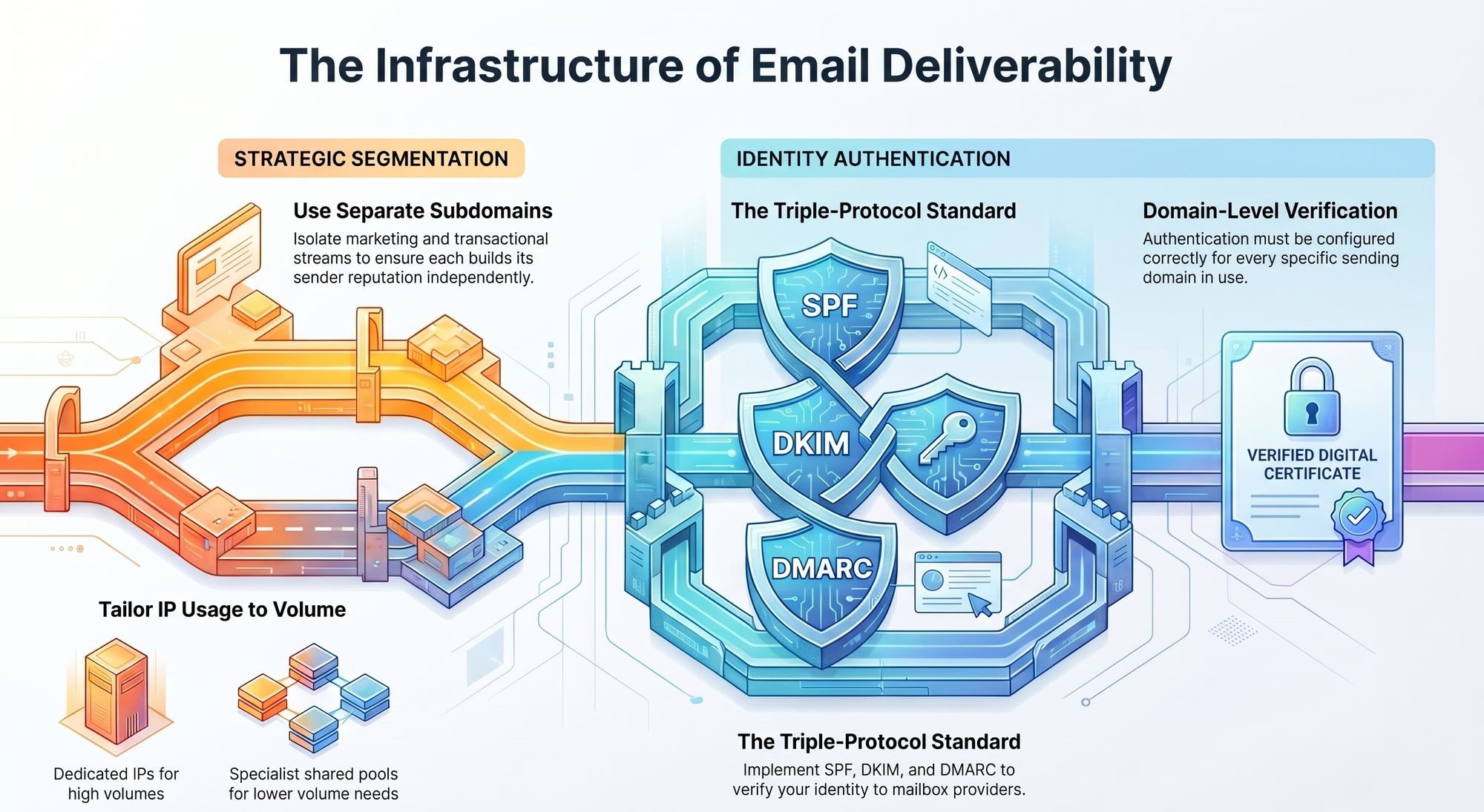
The expert consensus is clear on this: <mark>send transactional and marketing emails from separate IP addresses and separate subdomains.</mark> Always. Regardless of your sending volume. This separation ensures that a poorly performing campaign never drags down the deliverability of your most important emails.
In practice, this means:
- Separate subdomains — for example,
mail.yourapp.comfor transactional andhello.yourapp.comfor marketing. Each subdomain builds its own sender reputation independently. - Separate IP addresses — if you're sending high volumes, use dedicated IPs for each stream. At lower volumes, a well-managed shared IP pool from a transactional-specialist provider is a solid starting point.
- SPF, DKIM, and DMARC authentication — set up correctly for each sending domain, so mailbox providers can verify you are who you say you are.
The moment you treat transactional email as just another marketing channel, you start paying for it in deliverability. And in SaaS, where a missed password reset or a delayed trial activation email can cost you a user you'll never get back, that's an expensive lesson.
MailerLogic was built specifically with this separation in mind. It handles transactional email via a reliable API and SMTP infrastructure that's isolated from bulk sending, so your critical one-to-one emails have their own lane, their own reputation, and the best possible chance of landing in the inbox immediately.
The legal side you can't ignore
Email law is one of those areas where founders often assume they know the rules, and then discover they've been misreading them. Here's the actual picture.
CAN-SPAM
The CAN-SPAM Act uses a "primary purpose" test to determine whether an email is transactional or commercial. If the primary purpose of an email is to facilitate, complete, or confirm a transaction the recipient already agreed to, a signup, a purchase, or an account action, it qualifies as transactional and is largely exempt from CAN-SPAM's commercial email requirements.
That means: no mandatory unsubscribe link, no requirement to label it as an advertisement, fewer disclosure obligations. But the CAN-SPAM Act is firm that the exemption applies only when the primary purpose is genuinely transactional.
If your "order confirmation" email contains more upsell content than order details, or if the subject line reads more like a promo than a receipt, the FTC will likely classify it as a commercial message, and it needs to comply with all the rules that come with that.
The FTC actually settled an enforcement action against Experian for exactly this. Experian sent emails labelled "important account information" that were, in the FTC's assessment, primarily designed to pitch new products, without an unsubscribe link.
The lesson: calling something transactional doesn't make it transactional. The content has to be genuinely functional.
A useful rule of thumb from compliance experts: if you wouldn't object to a user seeing only the transactional content, stripped of everything promotional, and still consider the email valuable, it's probably genuinely transactional. If the promotional stuff is really the point, you need to comply with commercial email rules.
GDPR
Under GDPR, the classification maps to a different framework. Transactional emails, sent to fulfil a contract or respond to a user's specific request, fall under legitimate interest or contract performance as the lawful basis. You don't need explicit consent to send a password reset to someone who just asked for one.
Marketing emails, however, require explicit opt-in consent for electronic direct marketing, particularly under the ePrivacy Directive (commonly called the "Cookie Law" in the UK). A user being a customer doesn't automatically mean they've consented to receive your newsletter or upgrade campaigns. These need their own consent mechanism.
The grey zone: where it gets blurry
This is where SaaS emails get genuinely complicated, and it's worth spending a moment here because the grey zone is where most founders accidentally fall foul.
Consider a trial expiry notification. If it says: "Your trial ends on [date]. To continue, update your billing here.", that's informational, transactional in nature. But if the same email adds customer testimonials, a feature comparison table, and a discount code to encourage conversion, the primary purpose has shifted. It's now a marketing email, and it needs to comply with all the rules that apply to one.
The test the FTC recommends: ask what a reasonable recipient would think is the real reason the email was sent. If the answer is "to sell me something," you're in commercial territory, regardless of what the subject line says.
When in doubt, apply commercial email requirements. The penalties for misclassifying a commercial email as transactional run up to $53,088 per message under CAN-SPAM. The cost of adding an unsubscribe link is zero.

Start your free MailerLogic trial
and see what transactional email looks like when it's done right
Start Free - No Credit CardHow to set up your email infrastructure the right way
Understanding the difference between transactional and marketing email is one thing. Implementing the separation properly is where the rubber meets the road.
Here's how to think about it.
Use separate domains or subdomains for each stream
Don't send everything from yourapp.com. Designate one subdomain for transactional email, something like mail.yourapp.com or notifications.yourapp.com, and another for marketing sends, hello.yourapp.com or news.yourapp.com. Each subdomain builds its own reputation with mailbox providers, so your marketing campaigns can't damage your transactional deliverability even if they underperform.
API vs SMTP — when to use each
For transactional email, both API and SMTP are viable options, but they serve slightly different needs.
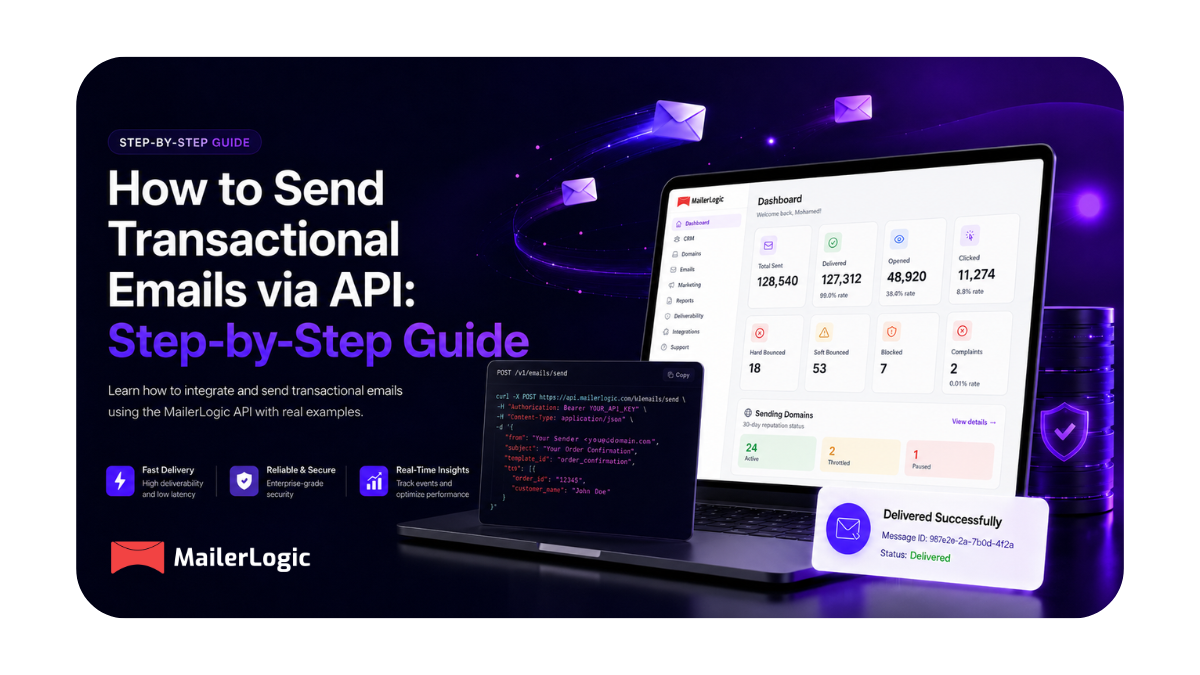
API (a direct HTTP call to your email provider's endpoint) gives you more control, faster send times, detailed per-message response codes, and easy integration into your application logic. It's the right choice if you're building a modern SaaS product and want full observability over every email your system sends. You can inspect delivery status, bounce codes, and open events at the message level.
SMTP relay is a simpler integration; you configure it like a regular email server. It works well for existing codebases, legacy systems, or frameworks where email is sent through a standard mail library. It's reliable, widely supported, and requires minimal code change to implement.
For marketing email, most teams use an ESP's campaign interface, such as Mailchimp, Customer.io, or similar, rather than raw API or SMTP, because you need list management, unsubscribe handling, and campaign-level analytics built in.
MailerLogic offers both API and SMTP options for transactional sending, built specifically for SaaS developers who need their critical emails to be fast, observable, and reliable. The dashboard gives you per-message delivery visibility, bounce tracking, and real-time logs, so you're never guessing whether an email was sent, bounced, or delivered.
Authenticate everything
Before you send a single email from a new subdomain, set up your authentication records:
- SPF — tells receiving mail servers which IP addresses are allowed to send email on behalf of your domain
- DKIM — adds a cryptographic signature to each email so the receiver can verify it hasn't been tampered with
- DMARC — ties SPF and DKIM together and tells receiving servers what to do if an email fails both checks (reject, quarantine, or monitor)
In 2025, Gmail and Yahoo both made DMARC authentication a firm requirement for bulk senders. Getting this right upfront protects your deliverability and your domain reputation for the long term.
Monitor behaviour, not just delivery
Sending the email is only half the job. What happens after bounces, complaints, open patterns, and unsubscribes tells you whether your infrastructure and list hygiene are healthy.
For transactional email, the key metric to watch is the deliverability rate. It should be as close to 100% as possible. If it starts dropping, something is wrong, either with your list quality, your authentication setup, or your sending reputation. Catching issues early, before they compound, is the difference between a minor fix and a full domain rehabilitation.
A quick note on transactional email performance
If you've been treating transactional emails as low-priority "system emails" and pouring all your effort into marketing campaigns, the numbers might surprise you.
Transactional emails have 8× higher opens and clicks compared to regular marketing emails. They achieve an average conversion rate of 8.6%, far higher than promotional sends. And automated triggered emails generate roughly 19× the conversion rate of batch campaigns, despite making up a tiny fraction of total email volume.
This isn't because transactional emails are better written. It's because they arrive at a moment of high intent, when a user has just taken an action, is actively engaged with your product, and is expecting to hear from you. That's the highest-signal moment in the user relationship, and it's worth treating it with as much care as any marketing campaign you run.
A polished, well-timed transactional email builds trust. A delayed or missing one erodes it fast.
Concluding
Transactional and marketing emails are not competing priorities. They're different tools that serve different moments in the user journey, and both need to be done well. The right setup isn't complicated: separate subdomains, separate IPs (or separate pools), proper authentication, and a transactional-first email service that's built to get one-to-one triggered emails into the inbox reliably and fast.
MailerLogic gives SaaS teams and developers a clean, observable, reliable transactional email infrastructure, without the complexity of managing deliverability from scratch.