An email bounces. Or worse, it lands in spam, and you don't find out until a customer complains three days later.
That's a problem. Polling your dashboard for updates is slow, manual, and honestly a waste of engineering time.
Real-time email event handling via webhooks is how modern systems stay reactive. It's also how you keep your sender reputation from tanking.
This is the practical guide. We'll walk through how email webhooks actually work, the specific events MailerLogic fires, and how to build a handler that won't fall over in production.
What Exactly Is a Webhook?
Think of it as a push notification for your server. When something happens, like an email delivery or a bounce, MailerLogic instantly sends an HTTP POST request to a URL you specify.
No polling. No delays. Just data, the moment it happens.
That's a game-changer for transactional email workflows. With webhooks, you can:
- Trigger an instant refund process on a hard bounce.
- Auto-suppress a contact after three consecutive soft bounces.
- Update a CRM record the second a recipient hits "mark as spam."
- Feed open and click timestamps straight into your analytics engine.
The Core Events You'll Handle
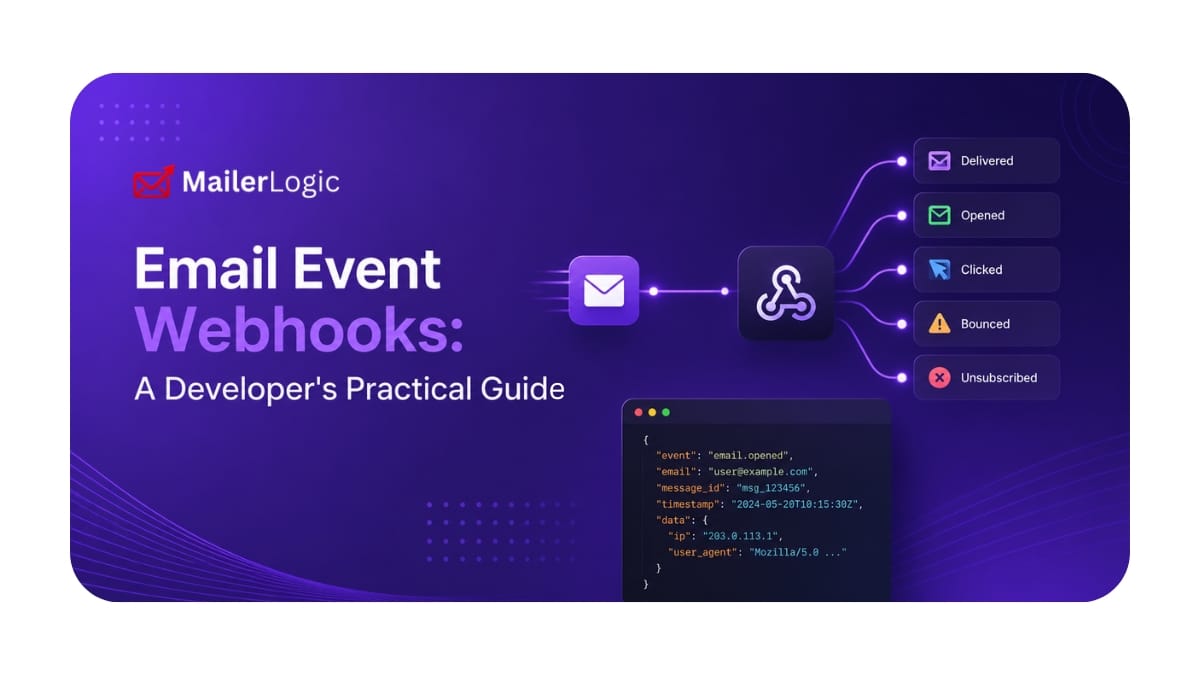
MailerLogic sends structured JSON payloads for a handful of distinct events. Here are the ones that matter most.
email.bounced
Fires when delivery fails. The payload tells you whether it's a hard bounce (permanent, like an invalid address) or a soft bounce (temporary, like a full inbox).
This one is non-negotiable for list hygiene.
{
  "event": "email.bounced",
  "timestamp": "2026-02-26T20:58:35.000Z",
  "email_id": "a8e4b25a-2f4d-4fa7-87d2-bfb7890995f5",
  "recipient": "invalid@example.com",
  "bounce_type": "hard",
  "reason": "User mailbox not found"
}
email.delivered
The receiving server accepted the message. Worth noting: this doesn't mean it hit the inbox, just that it left your infrastructure successfully.
email.opened
The recipient's email client loaded the message and triggered the tracking pixel. Great signal for engagement scoring.
email.clicked
A tracked link was clicked. The payload includes the URL, which is perfect for triggering follow-up actions.
email.unsubscribed
The user confirmed opt-out. Your handler needs to process this immediately. Lagging here can get you blacklisted, and it's a bad experience for the recipient too.
Building a Robust Endpoint
Your receiver needs to be publicly accessible over HTTPS. It also needs to respond with a 200 OK within 30 seconds.
Keep the logic lean. Offload anything heavy to a background job instead of processing it inline.
Here's a bare-bones but functional Node.js/Express receiver:
const express = require('express');
const app = express();

app.use(express.json({ verify: verifySignature }));

function verifySignature(req, res, buf) {
  // Always validate the signature. Seriously.
  req.rawBody = buf.toString();
}

app.post('/webhooks/email', (req, res) => {
  const event = req.body;

  switch (event.event) {
    case 'email.bounced':
      handleBounce(event);
      break;
    case 'email.delivered':
      // Maybe update a status field
      break;
    case 'email.unsubscribed':
      handleUnsubscribe(event);
      break;
    default:
      console.log(`Got an event we don't handle: ${event.event}`);
  }

  // Acknowledge receipt. Fast.
  res.status(200).send('OK');
});

function handleUnsubscribe(event) {
  // This needs to be atomic and fast.
  markContactAsUnsubscribed(event.recipient);
}

app.listen(3000);
Production-Grade Bounce Handling
Your bounce handler is your first line of defense for sender reputation. MailerLogic auto-suppresses contacts after repeated soft bounces (typically 3-5), but your app should mirror this logic too. Don't rely solely on the platform to catch everything.
Here's a more resilient approach:
const bounceTracker = new Map(); // Use Redis in production.

function handleBounce(event) {
  const { recipient, bounce_type } = event;

  if (bounce_type === 'hard') {
    // Hard bounce: Suppress NOW.
    suppressContact(recipient, 'hard_bounce');
    bounceTracker.delete(recipient);
    return;
  }

  // Soft bounce: Increment counter.
  const count = (bounceTracker.get(recipient) || 0) + 1;
  bounceTracker.set(recipient, count);

  if (count >= 3) {
    // Three strikes. Suppress to protect your reputation.
    suppressContact(recipient, 'soft_bounce_threshold');
    bounceTracker.delete(recipient);
  }
}

function suppressContact(email, reason) {
  // Your logic: update DB, sync state, maybe log to a data warehouse.
  console.log(`ACTION: Suppressing ${email} - Reason: ${reason}`);
}

Want to see email event webhooks in action?
Explore the MailerLogic & get your first endpoint live in minutes
Start Free - No Credit CardWhy Bother? The Real Benefits
Moving to email event webhooks isn't just about cool tech. It has tangible ROI.
Protect your sender score. Inbox providers like Gmail watch your bounce rate closely. A sustained rate over 5% is a red flag. Immediate bounce handling keeps you in the clear.
Get true operational visibility. Know the instant a critical password reset email fails. Alert your support team or trigger a fallback SMS, all automatically, with no one staring at a dashboard.
Fuel smarter segmentation. Open and click events are pure gold for engagement data. Use them to build dynamic segments or personalize follow-up sequences in real time.
Testing: Don't Skip This
Before you go live, hammer your endpoint with test payloads. Use MailerLogic's testing dashboard to simulate every event type.
Verify that:
- Your endpoint responds
200in under 30 seconds, every time. - Your JSON parser doesn't choke on unexpected fields.
- Your signature validation actually rejects bad actors.
- Errors get logged, but the server stays alive.
Wrapping Up
Webhooks turn email from a fire-and-forget blast into a responsive, event-driven system. For transactional email, this real-time feedback loop is essential. It protects your sender reputation, automates critical workflows, and gives you data you can actually act on.
MailerLogic hands you the events in clean, structured JSON. Your job is to build a reliable receiver, handle bounces with the seriousness they deserve, and expand from there.