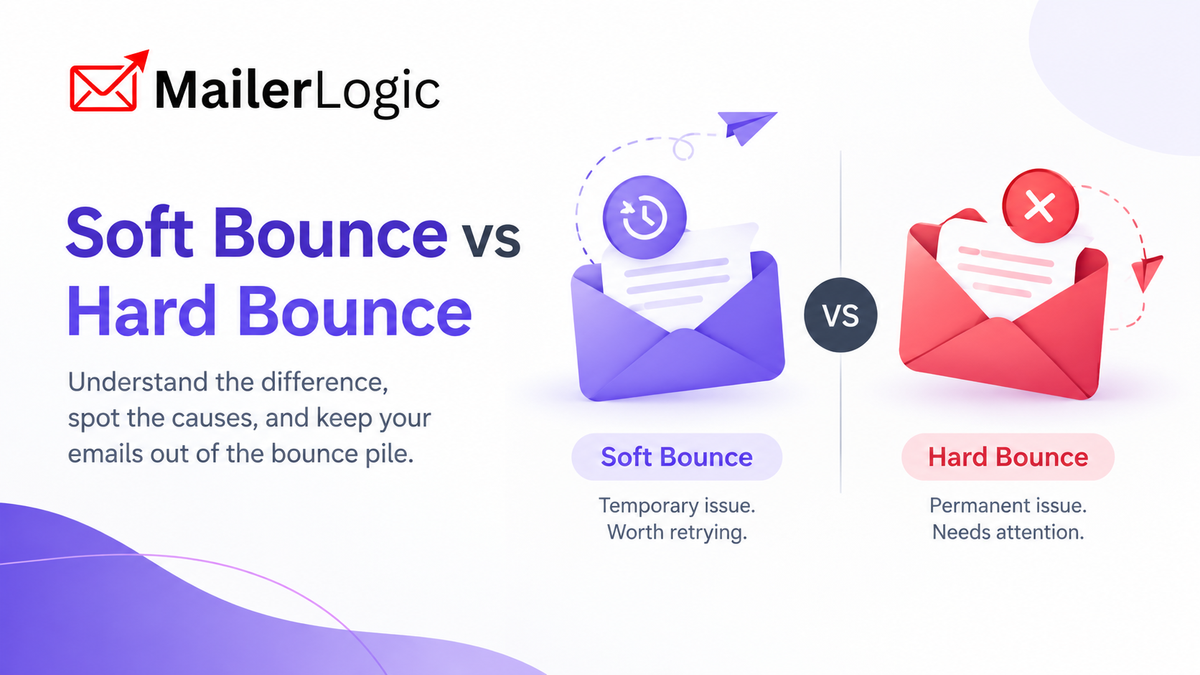
Every email sender has seen them: delivery failures that show up in a campaign report and make you wonder whether something is wrong. The good news is that not all bounces are equal. Some are a full inbox that clears up next week. Others are dead ends that should never be emailed again.
Treating them all the same is a common mistake. Keep sending to addresses that will never work, and mailbox providers start to see you as careless. Remove people at the first hiccup, and you lose contacts who were perfectly reachable.
What Is an Email Bounce?
A bounce happens when an email can't be delivered, and the receiving server sends back an error instead. Every bounce has a reason, and that reason tells you what to do next.
Mailbox providers like Gmail, Outlook, and Yahoo pay attention to how often your mail bounces. A high bounce rate suggests you're sending to old, purchased, or badly collected addresses, and it can hurt your sender reputation and inbox placement. Bounces aren't the only factor, since complaints, engagement, and authentication matter too, but they're one you can control directly.
The formula is simple:
If you send 10,000 emails and 500 bounce, your bounce rate is 5%. As a rule of thumb, aim for under 2%. Between 2% and 5% is a sign to look at your list, and above 5% is a problem worth fixing right away.
What Is a Soft Bounce?
A soft bounce is a temporary delivery failure. The message reached the recipient's mail server, but something stopped it from landing in the inbox. The address itself is usually valid, and the problem may clear up on its own.
On the technical side, soft bounces usually come back with a temporary "4xx" SMTP code, such as "452 4.2.2 mailbox over quota."
Common Causes of Soft Bounces
How to Handle Soft Bounces
Soft bounces call for patience, not panic.
- Let the system retry. Sending platforms retry temporary failures automatically, so you don't need to remove these addresses by hand.
- Watch for patterns. One soft bounce means little. The same address soft bouncing over and over usually means an abandoned mailbox, and it's worth suppressing.
- Check your content and volume. Very large attachments or a sudden spike in sending can cause temporary failures on smaller servers. Ramp up volume gradually.
An Example
Sarah sends a weekly newsletter for her software startup. One week, a subscriber's mailbox is full, so her email soft bounces. The subscriber clears some space, and the next newsletter arrives without a problem. Nothing needed to be done. (This is an illustrative example.)
What Is a Hard Bounce?
A hard bounce is a permanent delivery failure. Retrying won't help, because the address doesn't exist or can't receive mail. These usually come back with a permanent "5xx" code, such as "550 5.1.1 user unknown."
Common Causes of Hard Bounces
name@gmial.com
instead of
name@gmail.com
.
One nuance: some receiving servers use permanent rejection codes for policy or reputation reasons, such as blocking your domain or failing authentication. Those bounces point to a problem on your side, not a bad address, so check the reason before deciding the contact is invalid.
How to Handle Hard Bounces
- Stop sending immediately. Repeatedly emailing addresses that hard bounce signals to mailbox providers that you don't maintain your list.
- Suppress the address. A suppression list keeps you from accidentally mailing it again.
- Find the source. If many hard bounces come from one import or sign-up form, fix the source. Validate lists before you send, and consider double opt-in to catch typos and fake addresses at sign-up.
An Example
Michael imports 2,000 leads collected at a trade show. After his first campaign, 150 addresses hard bounce because many were typed by hand at a booth. That's a 7.5% hard bounce rate on the list, high enough to draw attention from mailbox providers. Suppressing those addresses and validating future imports first would have kept his reputation intact. (Also an illustrative example.)
Soft Bounce vs Hard Bounce at a Glance
| Soft Bounce | Hard Bounce | |
|---|---|---|
| Type of failure | Temporary | Permanent |
| Typical SMTP code | 4xx | 5xx |
| Common causes | Full mailbox, server issue, message too large, throttling | Invalid address, typo, closed mailbox, non-existent domain |
| Should you retry? | Yes, a limited number of times | No |
| Should you suppress? | Only if it keeps failing | Yes, right away |
| Risk to reputation | Low if handled well | High if you keep sending |
How MailerLogic Handles Bounces
Managing this by hand doesn't scale, so MailerLogic automates it.
- Automatic detection and classification. MailerLogic detects and classifies bounces as they happen.
- Hard bounces are blocked immediately. The address is suppressed so it isn't emailed again.
- Soft bounces are retried. Temporary failures are retried rather than written off, so valid contacts get a fair chance.
- Real-time webhooks. Webhooks can send events such as
email.bouncedandemail.failedto your systems as they happen. Requests are signed with HMAC-SHA256 so you can verify them, failed deliveries are retried, and you can send a test event to check your endpoint before going live. Use this to update your CRM, flag a contact, or alert your team. Check the developer documentation for the exact fields each event includes. - Suppression management. MailerLogic's API includes endpoints for system-managed suppressions, such as bounces and complaints, so you can review who's been suppressed.
- Email validation. MailerLogic can check syntax, domains, and disposable addresses before you send, which helps prevent hard bounces from bad imports in the first place.
MailerLogic also offers a pre-send deliverability report that checks a message for spam signals, blacklist issues, and authentication problems, so you can catch avoidable problems before they turn into bounces.
Best Practices for Bounce Management
- Validate before you import. Never trust an outside list without checking it.
- Use double opt-in. It catches typos and fake sign-ups before they enter your list.
- Check your bounce rate regularly. Investigate whenever it climbs above 2%.
- Look at the reason, not just the type. A bounce caused by a full mailbox and one caused by a blocked domain need very different responses.
- Connect webhooks. Let your other systems react automatically.
- Clean your list on a schedule. Remove or re-engage subscribers who haven't interacted in 6 to 12 months.
- Ramp up gradually. Sudden jumps in volume look suspicious and can cause temporary failures.
Frequently Asked Questions
What is the main difference between a soft bounce and a hard bounce? A soft bounce is temporary, such as a full mailbox or a server outage. A hard bounce is permanent, such as an address that doesn't exist.
Should I remove soft bounces from my list? Not right away. Give temporary problems a chance to clear. If the same address keeps soft bouncing across several sends, it's reasonable to suppress it.
Do hard bounces hurt my sender reputation? Yes, especially if you keep sending to them. Suppress hard bounces quickly and keep your overall bounce rate low.
What is a good bounce rate? Under 2% is a common target. If you're above that, review your list source and your validation process.

Want fewer bounces and a cleaner list?
Handle bounce detection and suppression with MailerLogic
Explore MailerLogicThe Bottom Line
Soft bounces and hard bounces need different responses. A soft bounce is often a temporary hiccup. A hard bounce is a dead end that should be removed. Knowing which is which helps you protect your reputation without throwing away good contacts.
MailerLogic takes care of the routine work by detecting bounces, blocking hard bounces, retrying soft ones, and sending real-time events to your systems, so you can focus on writing emails your subscribers want to read.