If you're comparing MailerLogic and Resend, you're probably asking one practical question:
Which one fits the way my team sends email today?
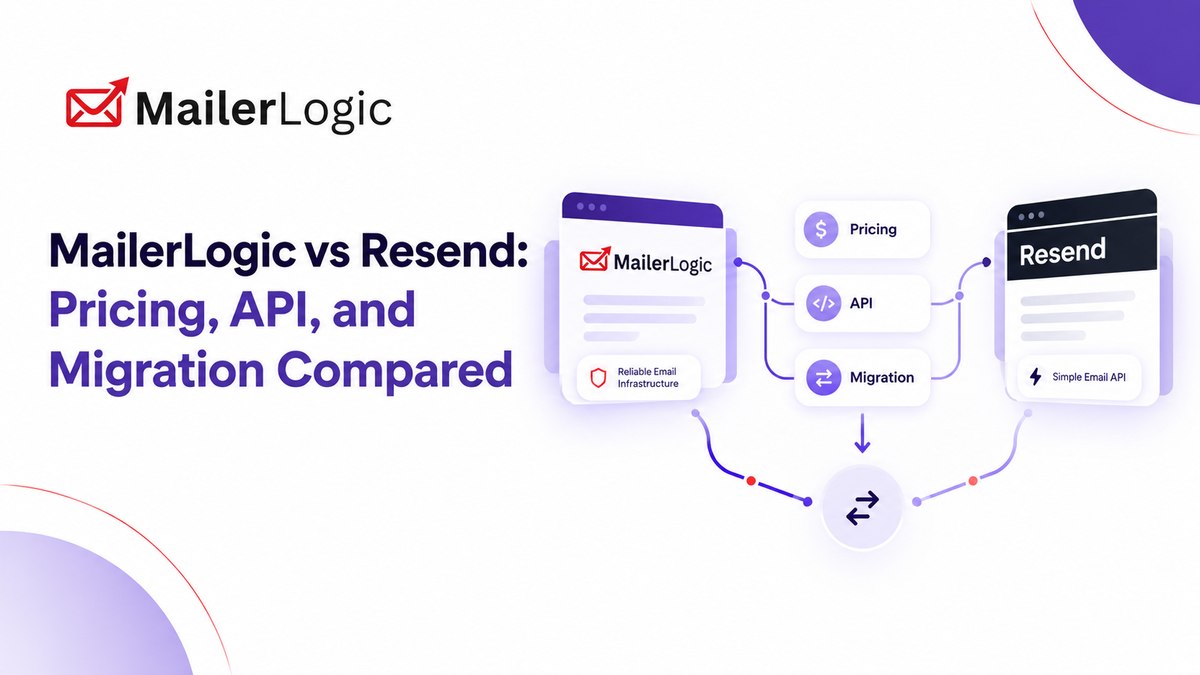
Both are modern platforms, but they come at the problem from different directions. Resend is a developer-first email API with a minimal dashboard and a small SDK. It has since added marketing features such as Broadcasts, Audiences, and Automations. MailerLogic began as an internal email system for a learning management product and grew into an email platform that combines an Email API, SMTP relay, CRM, campaigns, automation, and deliverability tools.
Below you'll find a pricing comparison, a look at the developer experience, how each handles bounces and suppression, and a migration checklist you can use this week.
Two Platforms, Two Starting Points
Resend is popular with developers who want clean transactional email with as little setup as possible. The docs are approachable, the SDKs are lightweight, and you can send your first message in minutes.
MailerLogic is built for teams that want sending, contact management, and deliverability in one place. It supports transactional and marketing email over SMTP or API, includes a built-in CRM (contacts, segments, tags, and custom properties), and adds pre-send checks such as email validation, content scoring, and risk assessment.
Neither is better in the abstract. The right choice depends on whether your main challenge is shipping an email feature or running an ongoing email program.
Pricing: What You Pay
Pricing changes often, so confirm current numbers on each vendor's pricing page before you budget. The figures below were checked in October 2026.
| MailerLogic | Resend | |
|---|---|---|
| Free plan | Yes, with limits on sending, validation, and content scoring | 3,000 emails/month, capped at 100/day |
| Paid entry point | Paid plans start at $9/month | Pro: $20/month for 50,000 emails |
| Higher volume | Higher tiers raise limits on contacts, automations, domains, and webhooks | Scale: $90/month for 100,000 emails; extra emails are $0.90 per 1,000 |
| How you're billed | Usage-based, with plan limits on sending and CRM features | Transactional email billed by volume; marketing email billed by contacts |
| Marketing and automation | Campaigns, CRM, and automation are part of the platform | Broadcasts, Audiences, and Automations are available; automation runs beyond the free allowance are billed per run |
| Dedicated IP | Check the pricing page for your plan | $30/month add-on on Scale, for senders above 3,000 emails/day |
| Enterprise | Contact the MailerLogic team | Custom plan with a 99.99% uptime SLA, dedicated CSM, and SSO included |
The main difference is the shape of the bill. Resend's transactional pricing is simple and volume-based, and its marketing features are billed separately. MailerLogic puts sending, CRM, and deliverability tooling under one plan structure, so it's worth estimating your costs for both products against your real mix of transactional and marketing sends.
The Developer Experience
The fastest way to feel the difference is to send the same password-reset email through each platform.
Resend (Node.js)
import { Resend } from 'resend';

const resend = new Resend(process.env.RESEND_API_KEY);

const { data, error } = await resend.emails.send({
  from: 'Acme <hello@acme.com>',
  to: ['user@example.com'],
  subject: 'Reset your password',
  html: '<p>Click <a href="https://acme.com/reset?token=xyz">here</a> to reset.</p>',
});

if (error) {
  console.error('Send failed:', error);
} else {
  console.log('Sent:', data.id);
}
That's about as short as a send call gets, and it's a real strength of Resend's SDK.
MailerLogic gives you two ways in: a REST API and an SMTP relay that works as a drop-in replacement for many existing systems. You can separate traffic into streams (transactional, broadcast, or shared) and route each one through the API or with SMTP headers, which keeps password resets from sharing reputation with newsletters. The same API also covers contacts, segments, tags, and custom properties. For endpoints, request fields, and code samples, see the MailerLogic developer docs.
Bounces and Suppression
Both platforms protect your sender reputation by suppressing addresses that shouldn't be mailed again.
Resend automatically suppresses addresses that hard bounce or file a spam complaint. You can view, add, and remove suppressions from the dashboard or the API, and webhooks notify you when an address is suppressed. Its email.bounced webhook includes a bounce object with the bounce type and subtype, which helps you tell permanent failures from temporary ones.
MailerLogic also applies automatic suppression and gives you tools to manage the list. It adds checks before and around sending: email validation to catch bad addresses early, content scoring and pre-send risk assessment to flag spam-prone messages, and bot and scanner filtering so automated security scanners don't distort engagement data. Reviewers also mention email warm-up support and separate sending and tracking domains.
Whichever platform you choose, wire up bounce and complaint webhooks before your first production send, and review your suppression list regularly.
Migration Checklist: 10 Steps
Most email migrations feel bigger on paper than they are in practice, as long as you do them in order.
- Export your contacts. Pull contacts, custom fields, and subscription status from your current tools. If you used Resend for sending and another tool for lists, export from both.
- Audit your authentication. Record your current SPF, DKIM, and DMARC settings before you change anything.
- Set up your sending and tracking domains. Verify your sending domain in MailerLogic and add a branded tracking domain so links and opens run on your own domain.
- Separate your streams. Put transactional and marketing mail on different streams and sender addresses so one can't hurt the other's reputation.
- Clean before you import. Leave out hard-bounced, complained, and unsubscribed addresses, and run the rest through email validation.
- Move your templates. Most HTML templates carry over, but inline your CSS and test in Gmail, Outlook, and Apple Mail.
- Configure webhooks first. Point bounce, complaint, and delivery events at your endpoint before the first send so no events are lost. Check the docs for exact event names.
- Run a low-volume test. Send 50 to 100 real emails and watch bounces, complaints, and inbox placement before scaling up.
- Cut over transactional sends. Swap in the new API key or SMTP credentials, and keep the old platform available for about 30 days as a fallback.
- Rebuild automations, then retire the old platform. Recreate welcome series and triggered flows, confirm they fire correctly, and cancel the old vendor once your reputation has been stable for a few weeks.
As a general guide, keep your bounce rate under 2% and your spam complaint rate low, since major inbox providers watch both closely.

When MailerLogic Is the Better Fit
- You send both marketing and transactional email and want one platform for both.
- You want a built-in CRM with segments and tags alongside your sending.
- You value pre-send checks such as validation, content scoring, and risk assessment.
- You want to keep different kinds of mail on separate streams.
When Resend Is the Better Fit
- You're a small team that wants the lightest possible SDK and a minimal dashboard.
- Your email is almost entirely transactional and sent from code.
- You already like Resend's developer tooling and don't need a CRM.
The Bottom Line
Resend is an excellent email API for developers who want to get sending quickly. MailerLogic suits teams that want sending, contacts, and deliverability tools together. If you're running campaigns, automations, and transactional email side by side, compare both on your real volumes before you decide.
Whichever you pick, run the checklist, watch your bounce rate, and don't migrate on a Friday.