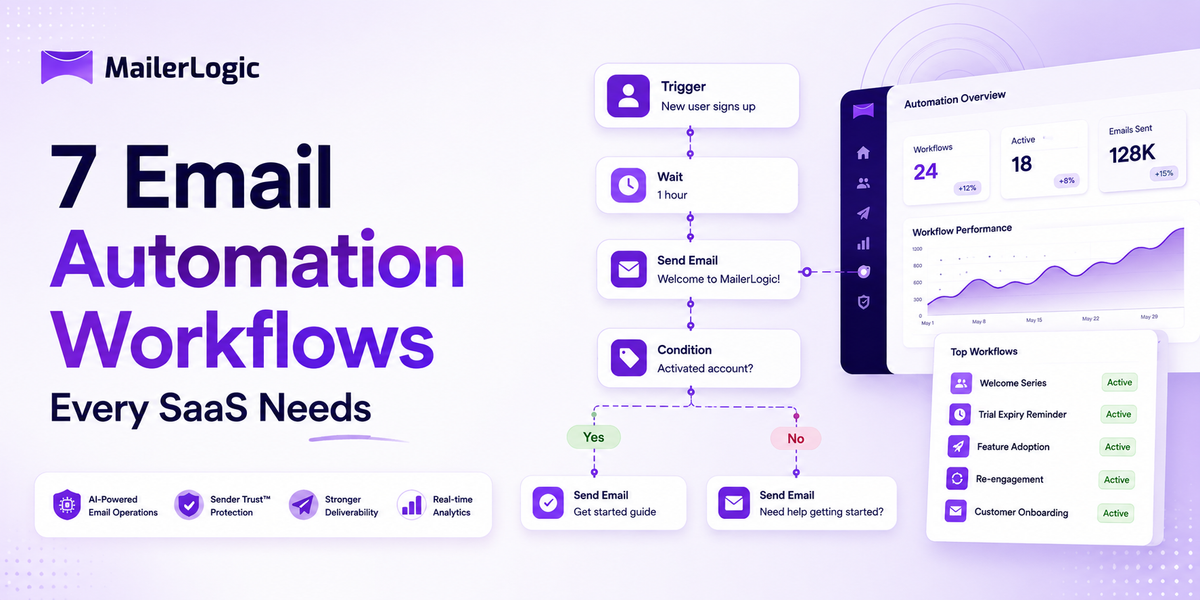
SaaS lives and dies by activation and retention. Email? Still the highest-leverage channel you actually control. No algorithm changes, no platform risk, and it runs while you sleep. The catch: most teams either send one sad welcome email and call it done, or they try to code a perfect system and never ship.
You don't need fifty workflows. A tight library of five to seven core automated email sequences covers roughly 80% of the revenue and retention lift you'll see from email. Here are the ones that consistently move the needle, with the exact flow logic for each.
1. Welcome + Activation Series
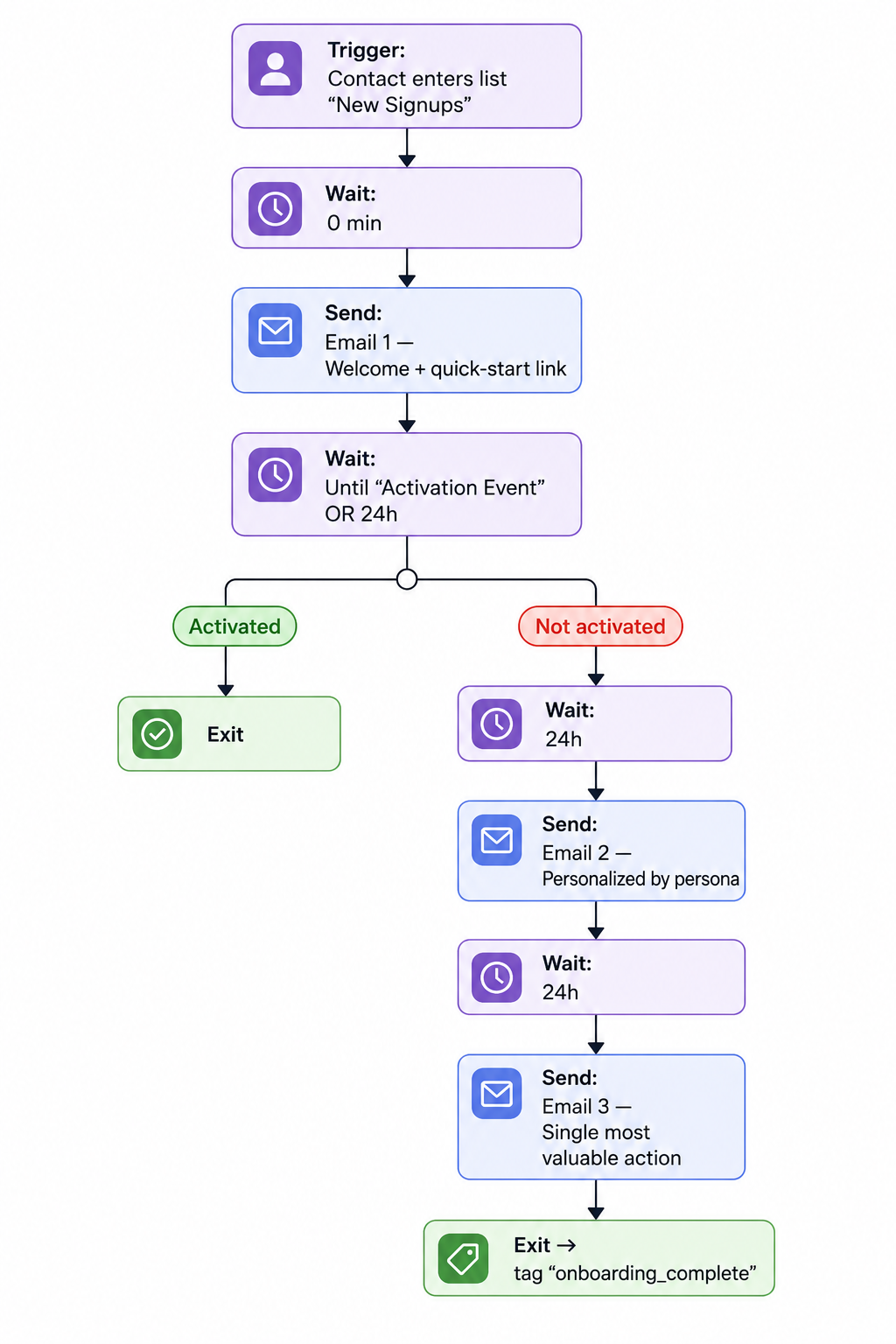
The first email after signup sets the entire tone. Users who get a structured welcome email series convert to activation at meaningfully higher rates than those who get nothing or a single "thanks for signing up" blast.
Flow Diagram
Practical Tips
- Branch on behavior, not time. If a user activates early, kill the remaining emails.
- Email 3 should describe one action, not three. Cognitive load kills activation.
- Tag contacts who finish onboarding so future automations skip them entirely.
2. Trial Expiry + Upgrade Nudge
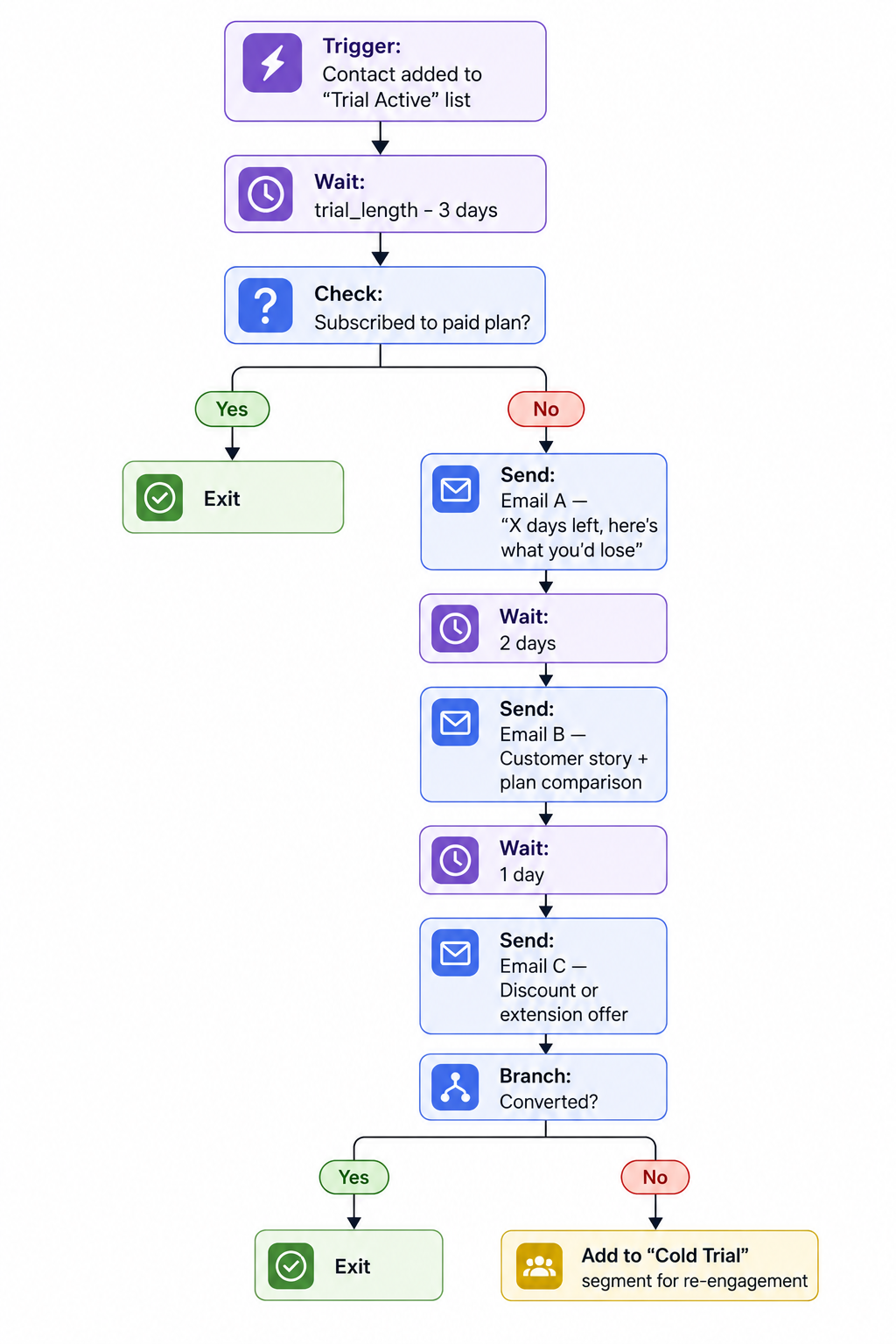
Trial users who haven't converted by day 10–12 need a completely different message than day 1 users. Most SaaS apps send the same trial email to everyone; that's wasting the window of urgency.
Flow Diagram
Practical Tips
- Make the final email a real offer. Trials that end without a hook lose most would-be converters.
- Always suppress paying customers from trial-expiry automations. Sounds obvious, but it's a common mistake.
- Log that "cold trial" segment; it feeds workflow #3 below.
3. Re-Engagement (Win-Back)
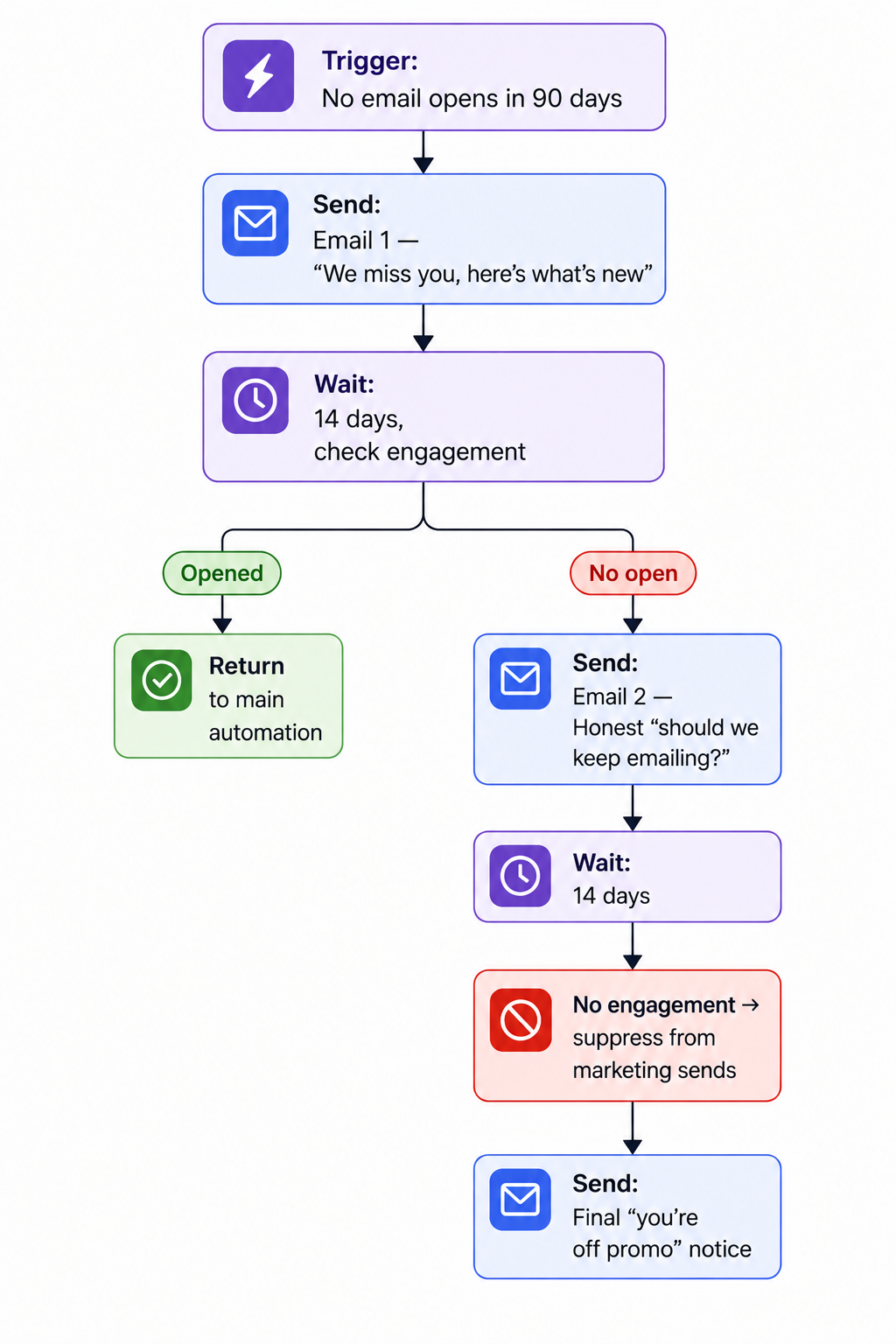
Inactive users are a silent liability. They drag down engagement metrics, trigger spam complaints, and inflate bounce risk when you batch-blast to them. A scheduled re-engagement email campaign protects deliverability while recovering some revenue.
Flow Diagram
Practical Tips
- Use the "permission pass" pattern in email 2. Asking whether to keep emailing feels counterintuitive but works wonders.
- Suppression isn't deletion; keep the contact but stop marketing sends.
- Track recovered contacts separately; they often have higher LTV than average.
4. Behavioral Feature Adoption
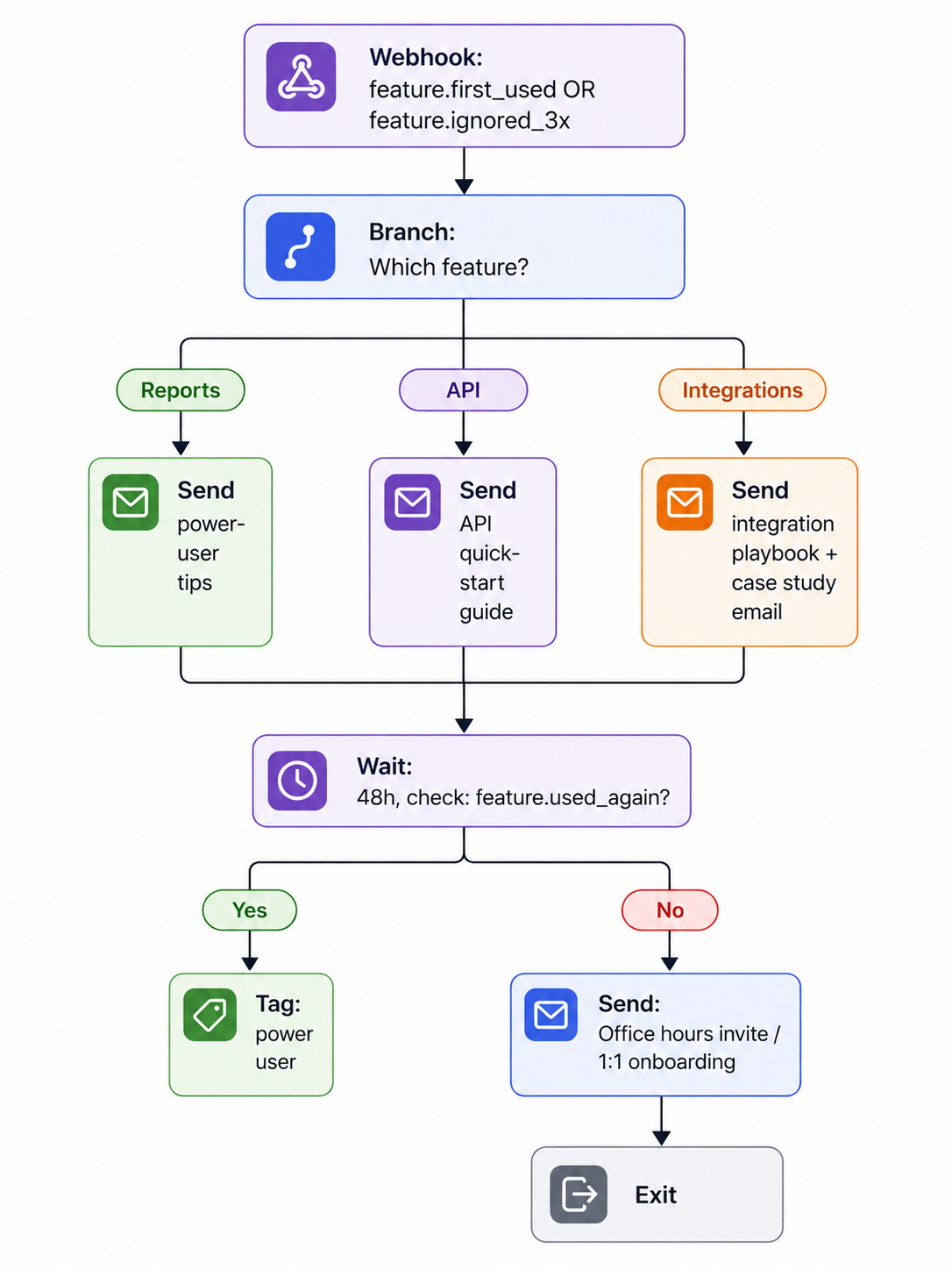
Product-led SaaS apps should trigger emails from real in-app events, not just signup time. Event-based emails convert at several times the rate of broadcasts.
Flow Diagram
Practical Tips
- Only trigger on first use, not every use. Otherwise you'll spam power users into oblivion.
- For ignored features, pair the email with an in-app message; they reinforce each other.
- Use your ESP's webhook system (
email.bounced,email.opened, custom events) to chain product behavior back into email triggers.
5. Bounce Handling & Domain Reputation Protection
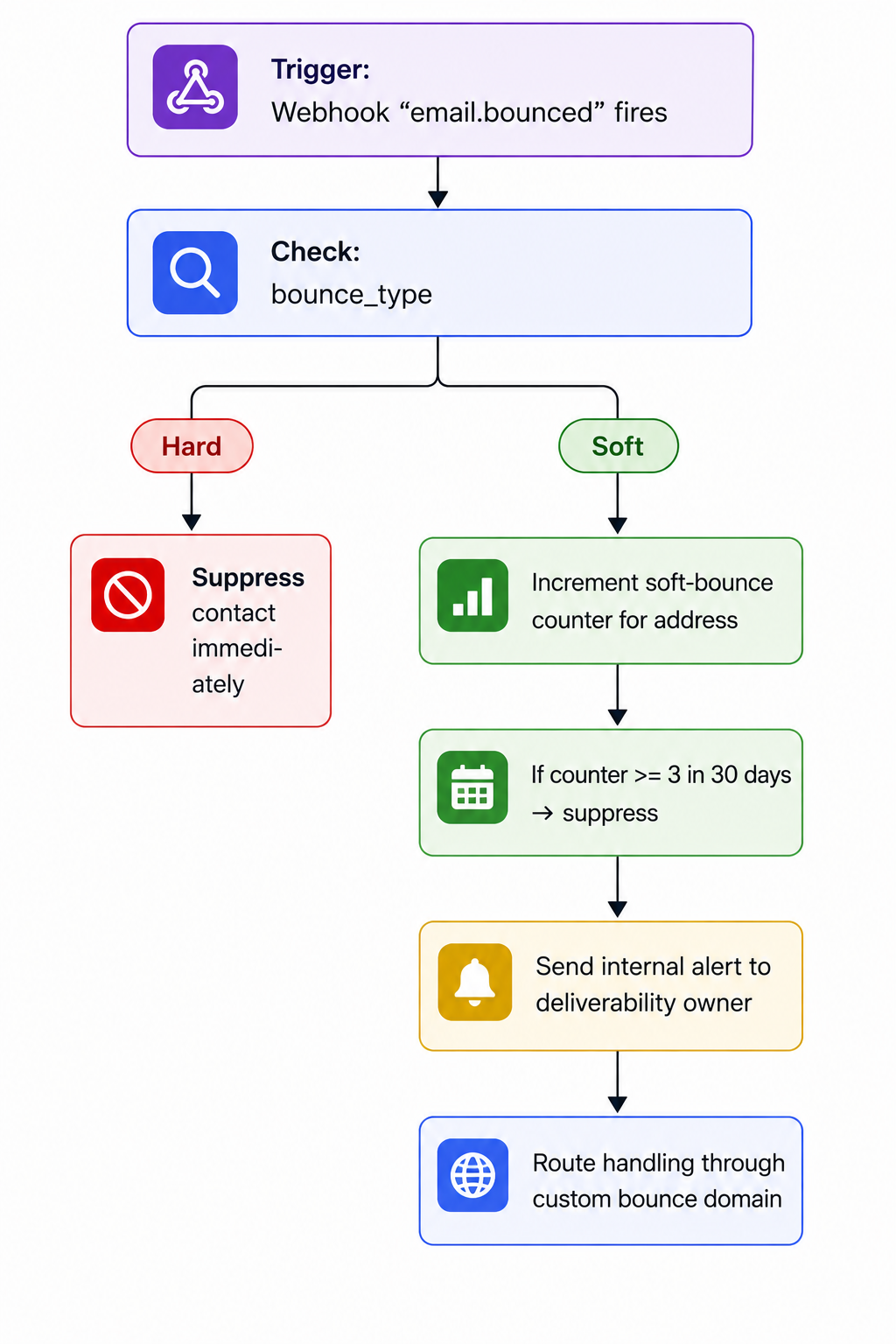
Every SaaS email program leaks invalid addresses. The difference between a healthy sender reputation and a punished one is how aggressively you handle them.
Flow Diagram
Practical Tips
- Hard bounces: suppress on first event. No exceptions.
- Soft bounces: most platforms auto-suppress after 3–5 consecutive bounces within a 30-day window. Mirror that policy in your ESP.
- Bounce rate is calculated on a 30-day rolling window:
(bounces ÷ emails sent) × 100. Stay below 2% for steady inbox placement; above 5% is risky territory across major mailbox providers. - Configure a custom bounce subdomain (e.g.,
bounce.yourdomain.com) so bounces route through your own branded infrastructure. This removes the "via" label in Gmail and keeps all email branding consistent, which protects reputation.
6. Account Milestone Celebrations
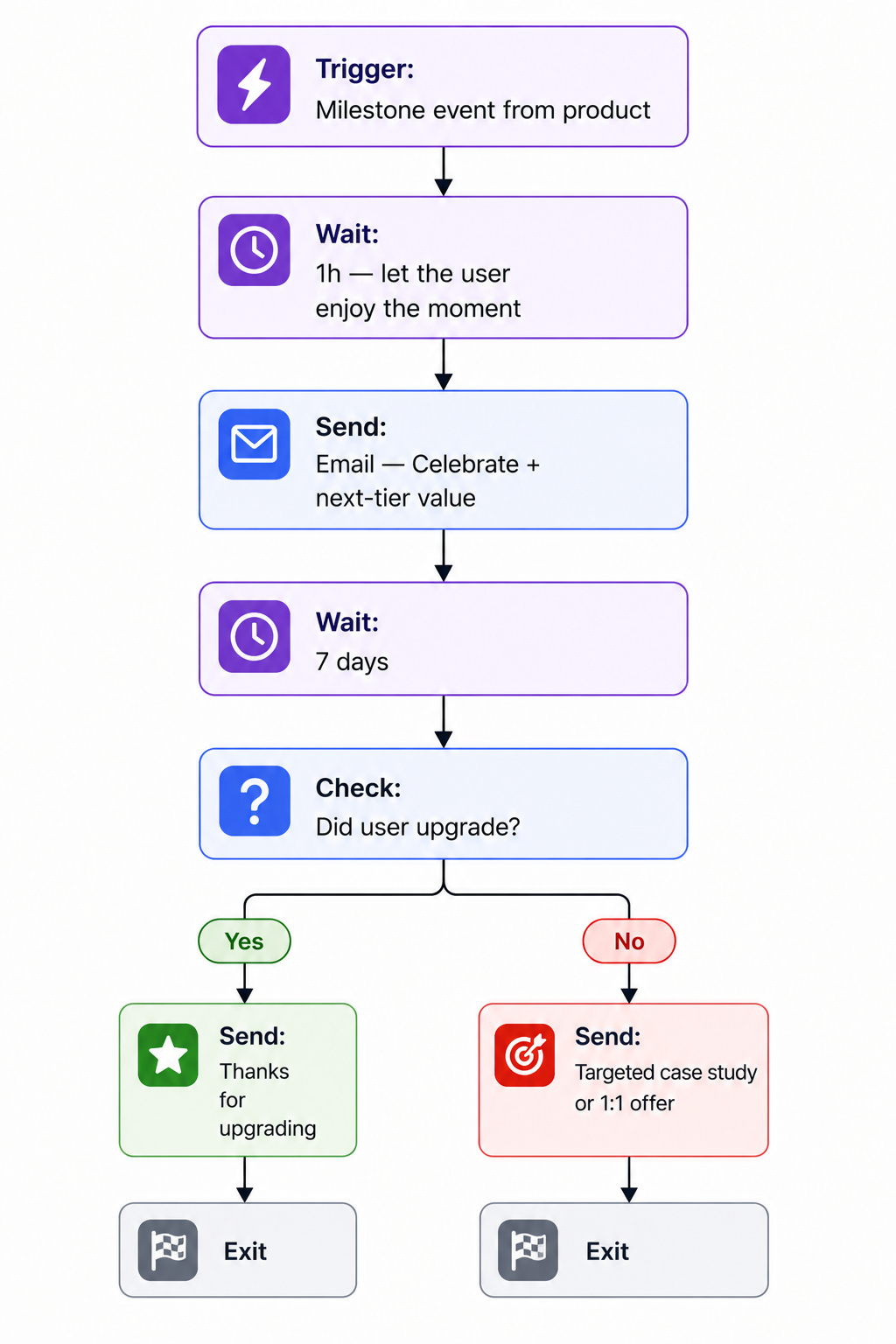
When users hit meaningful moments first 100 contacts, first invoice sent, first integration live- they're disproportionately receptive to upgrade prompts and expansion messaging.
Flow Diagram
Practical Tips
- Tie milestones to value, not vanity. "1,000 emails sent" matters; "your 10th login" doesn't.
- Always include a next action. Celebration emails without a CTA waste the moment.
7. List Hygiene & Bulk Unsubscribe
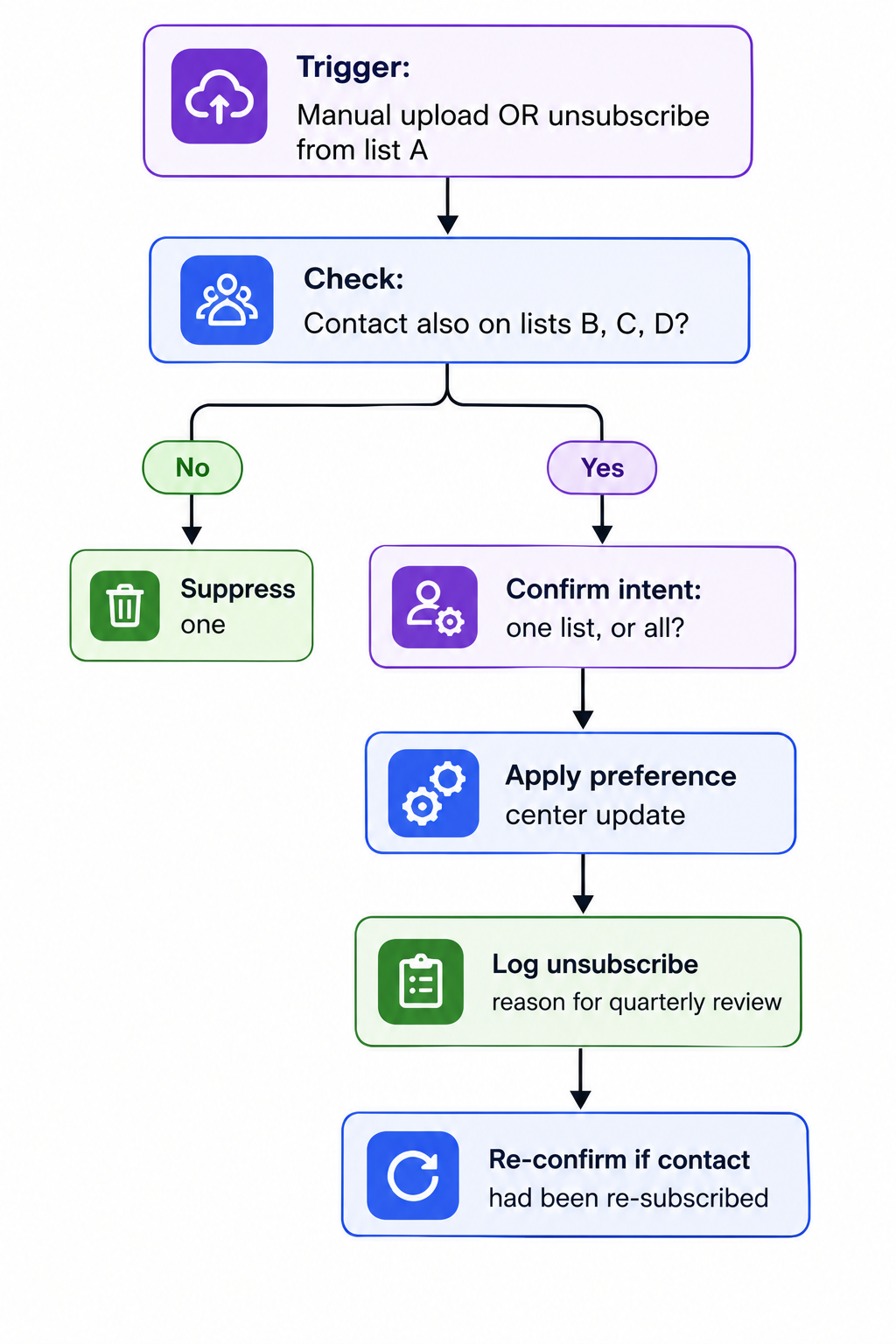
Even with good automations, some contacts need bulk removal, role addresses (info@, support@), stale test accounts, or contacts who explicitly asked to leave multiple lists. Doing this without breaking compliance is its own workflow.
Flow Diagram
Practical Tips
- Never delete a contact silently; always log the reason and date.
- If a contact had been re-subscribed at some point, confirm the unsubscribe; they may have been added back without intent.
- Run list hygiene monthly; don't wait for deliverability to break.
Want to build these without stitching together three tools?
Try MailerLogic free
Start Free — No Credit CardBuilding These in Your ESP
Most of these workflows need four primitives from your email platform: triggers (signups, events, webhooks), waits (time-based and event-based), branches (if/then logic on attributes and behavior), and suppression lists. Platforms like MailerLogic expose these through an automation builder with a history view for debugging, real-time webhooks for product events, and a custom bounce domain option to keep all routing on your branded infrastructure.
Conclusion
You don't need a hundred automations. You need seven that run reliably: a welcome email series, a trial expiry flow, a re-engagement email campaign, a behavioral adoption flow, bounce handling, milestone emails, and a hygiene loop. Map the flow before you touch the builder, wire webhooks to product events where you can, and protect your sender reputation through aggressive bounce handling and custom bounce domains. Everything else is iteration.