
You write the email, hit send, and assume it lands in someone's inbox. But a lot can go wrong in between.
Think of email deliverability as the health score of your sending operation. It determines whether your carefully written campaigns actually reach people, or quietly disappear into spam folders, or never arrive at all. If you've ever wondered why your open rates dropped, why certain contacts never seem to engage, or why your email service provider sent you a warning, deliverability is almost certainly part of the story.
What Is Email Deliverability?
Email deliverability is the ability of your emails to successfully reach your recipient’s inbox, not the spam folder, promotions tab, or getting blocked entirely.
It answers one simple question:
“Did your email make it to the inbox?”
Deliverability is often confused with delivery. They are not the same thing.
|
Delivery Did the server accept it? Your email
was received by the mail server. No bounce. Says nothing about where it ended
up. |
Deliverability Did it reach the inbox? Your email
landed in the primary inbox, not spam, not promotions. This is the outcome
that actually matters. |
A 100% delivery rate and a 60% inbox placement rate are two completely different realities.
Most email platforms report delivery (easy to measure). Inbox placement, the one that matters, is harder to measure and rarely shown in default dashboards.
Your email can be 'delivered' and still be completely invisible. Deliverability is the difference between showing up and being seen.
HOW IT WORKS
What Actually Happens When You Hit Send
Email isn't just a pipe from you to them. There are several automated checkpoints that decide whether your message makes it through.
1. You hit send
Your email is packaged up with text, images, a subject line, and handed off from your email tool to a sending server. Your domain name and IP address get attached here.
2. Identity check
The recipient's mail server checks your domain's settings (called DNS records) to verify: "Is this sender actually allowed to send from this domain?" Failing this check is a major red flag.
3. Reputation check
Your sending IP and domain get looked up in reputation databases. Think of it like a credit check for your email address. Poor reputation = filtered out, often before anyone even reads your content.
4. Content scan
Spam filters scan your subject line, body text, links, and image ratios. But increasingly, how people have engaged with your past emails matters even more than what you write.
5. The routing decision
Based on all of the above, the server decides: inbox, promotions, spam, or blocked entirely. This all happens in milliseconds, and you usually never see it.
6. The feedback loop
Every send also affects your future reputation. Opens, clicks, and replies help you. Spam complaints and people deleting your email unopened hurt you
What Inbox Providers Actually Look At
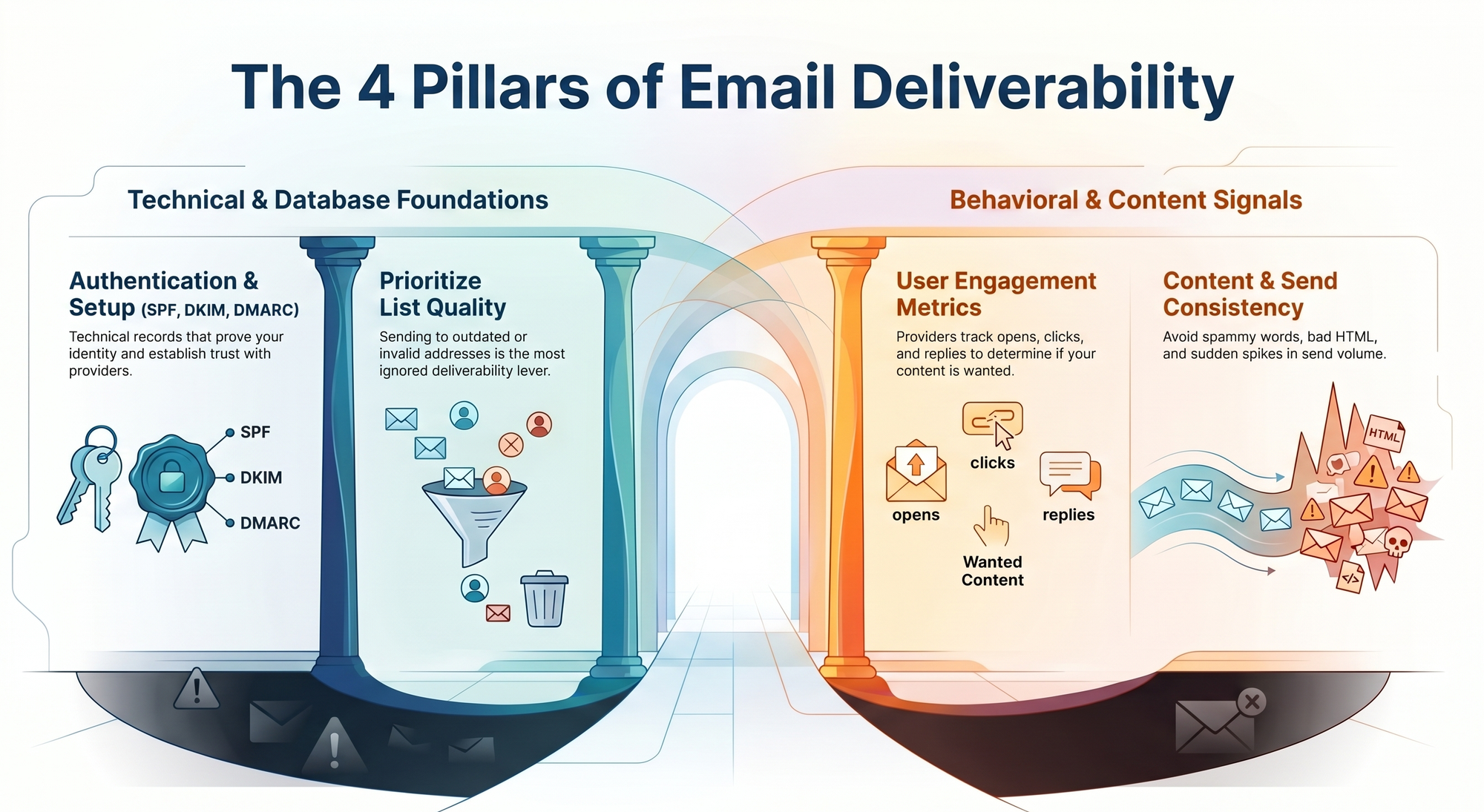
Email providers use complex algorithms, but most of what they measure falls into four areas:
Authentication & setup
Technical records (SPF, DKIM, DMARC) that prove you are who you claim to be. Without these, every email starts with a trust deficit.
List quality
Sending to bad or outdated email addresses tanks your reputation. The quality of your list is probably the most ignored deliverability lever.
Engagement
Gmail and others track whether people open, click, or reply to your emails. Low engagement tells them your emails aren't wanted.
Content & send patterns
Spammy words, bad HTML, and sudden send volume spikes all raise flags. Consistency matters more than you think.
The Three Records Every Sender Must Have
These are technical DNS records, small bits of text you add to your domain settings. Your email service provider usually helps you set them up. Here's what each one does in plain terms:
The approved senders list
Tells inbox providers which servers are allowed to send email from your domain. If your sending server isn't on the list, the email looks suspicious. Every domain that sends email needs this.
The tamper-proof seal
Adds an invisible digital signature to every email you send. The receiving server checks this signature to confirm the email genuinely came from you and wasn't altered on the way. Most email platforms generate this for you. You just publish the record.
The rulebook for failures
Sits on top of SPF and DKIM. It tells inbox providers what to do if authentication fails: ignore it, send it to spam, or block it entirely. It also sends you reports so you know if someone's impersonating your domain.
If you send bulk email to Gmail or Yahoo addresses, all three of these records are now required. Without them, your emails will be rejected or heavily filtered. If you haven't done this yet, make it your first priority.
The Most Common Ways Senders Hurt Themselves
Most deliverability problems are self-inflicted. Here's what to avoid:
Sending to old or purchased lists
Purchased lists almost always contain "spam traps" (fake addresses set up to catch bad senders), invalid emails, and people who'll immediately report you as spam. Even your own list goes stale if you haven't emailed it in 12+ months.
Sudden volume spikes
Going from 500 emails a day to 50,000 overnight looks exactly like a hacked account or spam operation. New domains should build up slowly over 4–8 weeks.
Ignoring unsubscribes and complaints
If more than 0.08% of Gmail recipients mark you as spam, your emails start getting filtered. Making it hard to unsubscribe makes things worse, and in many countries it's illegal (GDPR, CAN-SPAM). One-click unsubscribe is now required by Google and Yahoo.
Never cleaning your list
Invalid and inactive addresses build up over time. Hard bounces (emails that permanently fail) above 2% are a serious warning sign. Regularly remove contacts who haven't engaged in 6–12 months.
Spammy-looking content
Things like "FREE!!!", all caps, misleading subject lines, and too many images relative to text still trigger spam filters, especially when combined with low engagement.

The Invisible Score That Decides Your Fate
Every domain and IP that sends email has a reputation score, like a credit score, but recalculated constantly and invisible to you.
Here's what moves it:
Key Email Deliverability Signals
| Factor | What It Means | Impact |
|---|---|---|
| Open & click rates | People are reading and engaging with your mail. | Helps |
| Spam complaint rate | Above 0.08% with Gmail = filtering kicks in. | Hurts |
| Authentication passing | SPF, DKIM, DMARC all passing. | Helps |
| Bounce rate | Hard bounces above 2% signal a bad list. | Hurts |
| List cleanliness | Spam traps and invalid addresses are dangerous. | Hurts |
| Sending consistency | Steady, predictable volume builds trust. | Helps |
| Content quality | Spammy patterns hurt, especially with low engagement. | Hurts |
The key thing to remember: reputation is built slowly and lost fast. A single bad campaign, a stale list, a spike in complaints, can undo months of clean sending in just a few days.
Terms You'll Come Across
A quick reference to common email deliverability terms, explained in plain language.
Your Deliverability Health Checklist
Work through these in order. The first few are foundational; don't skip ahead before the basics are solid.
Email Deliverability Readiness
Use this checklist to make sure your email setup and practices are in good shape.
-
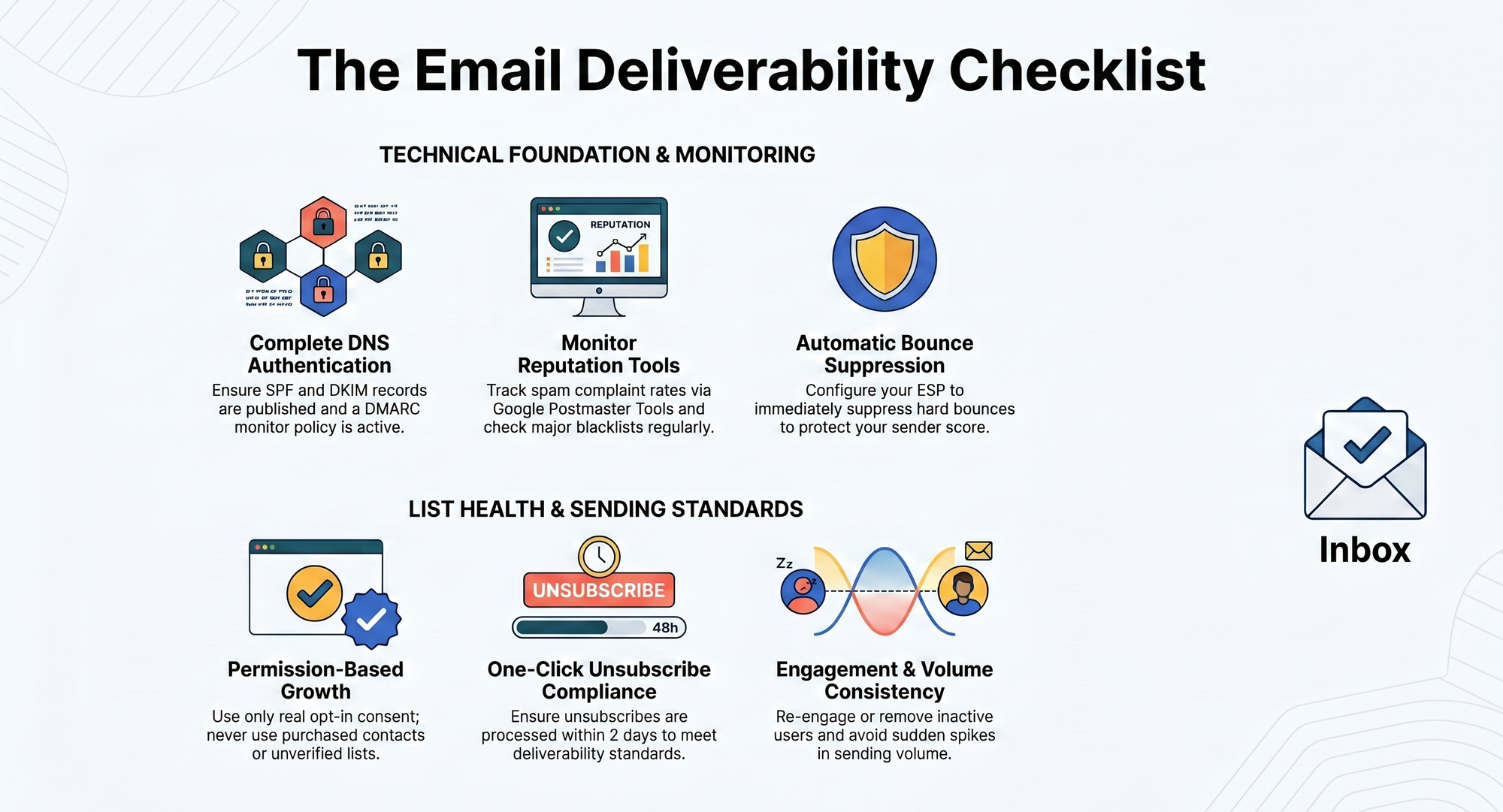
SPF record is set up and passing for my sending domain
-
DKIM is configured through my ESP and the DNS record is published
-
DMARC policy is set (at minimum "monitor" mode with a reporting email)
-
My list was built with real opt-in consent, no purchased contacts
-
One-click unsubscribe works and is honoured within 2 days
-
Hard bounces are automatically suppressed by my ESP
-
I'm monitoring spam complaint rates in Google Postmaster Tools
-
I've removed or re-engaged subscribers inactive for more than 12 months
-
I'm sending on a consistent schedule, no sudden volume spikes
-
I've checked my sending IP and domain against major blacklists
To Conclude
Deliverability lives in DNS settings, postmaster dashboards, and list clean-up routines.
A beautifully written email that lands in spam is worth nothing. A mediocre email that reaches the inbox will always outperform one that doesn't. Getting the basics right, authentication, list hygiene, and consistent sending, isn't advanced email marketing. It's just the price of entry.
The good news? Most of your competitors aren't doing this well. Fix your sending operation, and you'll have a quiet structural advantage that compounds over time.