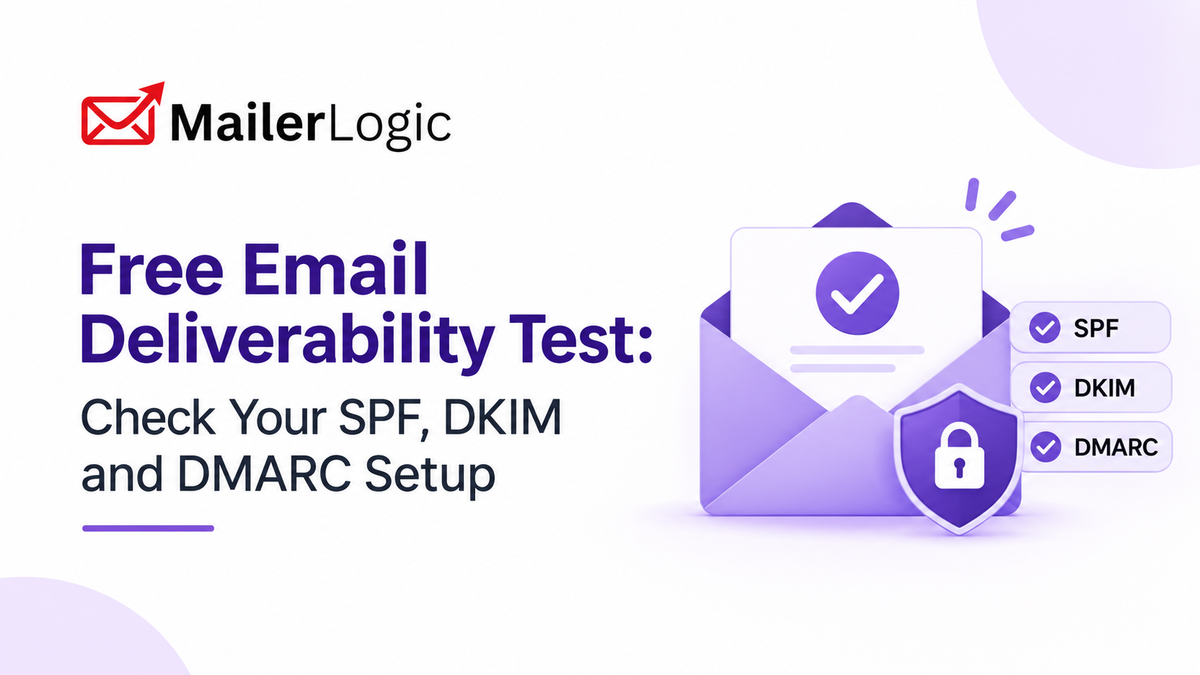
Email authentication is one of the most important checks a sender can make. If SPF, DKIM, or DMARC is missing, misconfigured, or inconsistent across your sending services, mailbox providers may reject your messages or send them to spam. Since 2024, Gmail and Yahoo have also required bulk senders to authenticate their mail, so getting this right is no longer optional.
A free email deliverability test helps you check the technical setup of your sending domain. Enter the domain you send from, review the results, and work through the recommended fixes to strengthen the foundation of your sender reputation.
The test answers one practical question: is your domain configured correctly for email authentication? It can't guarantee inbox placement, but it can catch configuration problems you should fix before you start changing campaign copy or audience strategy.
What does an email deliverability test check?
A good deliverability test looks at the DNS records and infrastructure tied to your sending domain. The main checks are:
These controls work together. SPF checks that the sending server is allowed to send for the domain. DKIM checks that the message was signed by the sending domain and wasn't altered in transit. DMARC ties those results to the domain in the visible From address and tells receivers how to respond when authentication doesn't pass.
A DNS check is only one part of deliverability. It can't tell you whether a specific message reached the inbox, whether a recipient marked it as spam, or whether a mailbox provider applied extra filtering. It is, however, an essential baseline that can uncover preventable delivery problems.
How to Run the Test
1. Enter your sending domain
Use the exact domain your emails are sent from. If your messages come from news.example.com, test news.example.com, not example.com.
If you send from a subdomain, check that subdomain directly. Your root domain may look healthy while the subdomain you actually use has missing or conflicting records.
2. Review the authentication results
Look closely for these common issues:
- ! No SPF record
- ! Multiple SPF records instead of one combined record
- ! An SPF record that needs more than ten DNS lookups
- ! No DKIM selector or DKIM record
- ! A DKIM public key that is missing or revoked
- ! No DMARC record
- ! A DMARC policy that doesn't match your authentication strategy
-
!
An invalid DMARC
ruareporting address - ! Authentication that uses different domains than you expect
3. Fix the biggest problems first
Start with failures on domains you actively send from. An incorrect SPF record can make legitimate email look unauthorized, while missing DKIM makes it harder for receivers to confirm that a message wasn't modified.
After you change DNS records, give them time to propagate and run the test again. Write down the date of each change so your team can tell the difference between a configuration problem and one caused by a recent campaign or list change.
4. Look at the full sending path
Passing authentication shows that your domain is set up correctly. It doesn't prove that every message will land in the inbox. Keep watching bounces, spam complaints, and engagement after the technical checks pass.
How to Read your SPF, DKIM and DMARC results
SPF: who may send for your domain
An SPF record lists the IP addresses and domains allowed to send email for your domain. A healthy record includes every legitimate sending service and nothing unrelated.
v=spf1 include:_spf.yourprovider.com -all
This record authorizes the listed provider and ends with a hard fail (-all), which tells receivers to reject mail from anyone else. Pick a policy that matches how you actually send. An overly permissive record weakens protection, while an overly strict one can block legitimate mail.
DKIM: message signing and integrity
DKIM adds a digital signature to outgoing messages. Your sending service signs each message with a private key, and receiving servers use the matching public key in your DNS to check the signature.
A missing DKIM record can mean:
- Signing hasn't been enabled for the domain.
- Your provider generated a new selector that hasn't been published yet.
- A DNS record was removed during a migration.
- You tested a different subdomain than the one you send from.
DKIM can be set up on a root domain or a sending subdomain, so check the domain that appears in your real message headers.
DMARC: policy, alignment, and reporting
DMARC connects SPF and DKIM results to the domain in your From address, and tells receivers what to do when authentication fails. Even if you don't publish a strict policy yet, DMARC reporting is a useful way to see who is sending mail as your domain.
Review three things:
- The policy:
p=none,p=quarantine, orp=reject. - Alignment: whether the domain authenticated by SPF or DKIM matches the From domain.
- The reporting address: it should be a mailbox or service someone actually monitors.
DMARC doesn't authenticate email on its own. It relies on SPF or DKIM passing and on the authenticated domain aligning with the From domain.
Example: diagnosing a failed test
Suppose your newsletter sends from news.example.comand the test shows:
This usually means SPF is passing for your provider's own bounce domain rather than for your From domain, so it isn't aligned. With no valid DKIM signature to fall back on, DMARC has nothing aligned to pass on.
Focus on the sending service, not the email copy. Confirm that DKIM signing is enabled, check that the active selector matches the public key published in DNS, and verify which domain the service is actually sending from. Once DKIM is signing with an aligned domain, DMARC should pass.
This is why a single score can mislead. Look at each control and at how they relate to each other.
How to fix common failures
Missing or incorrect SPF
Publish one SPF record per domain or subdomain. Include every legitimate sending service, remove providers you no longer use, and stay within the ten-lookup limit. Test again after you update it.
Missing DKIM
Turn on DKIM in your email provider, publish the generated public key in DNS under the selector it gives you, and confirm that sent messages carry a DKIM-Signature header for the expected domain. Only the public key belongs in DNS. Never publish the private key.
Missing or misaligned DMARC
Add a DMARC record at your organizational domain first, review the reports, and tighten the policy gradually once all your legitimate sending services pass. Make sure every service you use for corporate, transactional, or marketing mail signs with an aligned domain.
Conflicting records
Some DNS providers let you create several records with the same name, which can produce inconsistent results. Merge your SPF entries into a single valid record and remove duplicate TXT records that conflict with your active setup.
Authentication passes, but delivery still suffers
If SPF, DKIM, and DMARC all pass, look at other factors:
- ! Sudden jumps in sending volume
- ! Falling engagement from previously active recipients
- ! Purchased, rented, or poorly maintained lists
- ! A high number of spam complaints
- ! Irregular sending patterns
- ! Content that triggers spam filters
- ! A recently changed From address, domain, or sending subdomain
Authentication is necessary, but mailbox providers also judge how you behave as a sender and how good your list is.
Keep improving after the test with MailerLogic
A one-time DNS check finds configuration problems, but it can't show how your messages perform over time. MailerLogic is built around that gap, combining sending infrastructure with deliverability tools you can use before and after you send.
Test before you send. MailerLogic's Deliverability Report checks authentication (SPF, DKIM, DMARC, and PTR records) along with spam signals, blacklist status, and link validation, then gives you a score and a list of fixes. The free tier includes 10 tests a month, and paid plans include more.
Handle bounces automatically. When a hard bounce happens, MailerLogic suppresses the recipient immediately and can send an email.bounced webhook with details such as the bounce type and reason. Soft bounces are retried, and an address is suppressed only after several consecutive soft bounces, so a temporary "mailbox full" problem doesn't cost you a subscriber. Connect the webhook to your CRM so a suppression reaches every system that holds that contact.
Keep bounces on your own domain. MailerLogic supports a custom bounce domain. A branded subdomain such as bounce.example.com keeps your branding consistent and removes the "via" label that some inbox providers show when a third party handles your bounces.
Track the trend. MailerLogic shows a 0–100 deliverability health score built from signals such as delivery performance, bounce behavior, and complaints, with a 30-day trend so you can spot trouble early.
If you also track bounce rate yourself, the standard formula is:
Bounce Rate = (Bounced Emails ÷ Emails Sent) × 100
For example, 500 bounces out of 10,000 emails sent is a 5% bounce rate, enough to put your inbox placement at risk with many mailbox providers. Watch the trend over time rather than relying on a single campaign.
For setup guidance, see the MailerLogic knowledge base, or create a support ticket if you need help with your configuration.
What this test can and can't tell you
The test gives you a technical baseline. It can show whether your core authentication records exist, whether they are valid, and whether anything looks inconsistent.
It can't tell you:
- Whether a particular message reached the inbox or the spam folder
- Whether a recipient marked a message as spam
- Whether your audience still wants your emails
- Whether your sending volume or schedule looks suspicious
- Whether a mailbox provider applied rules specific to one account
- Whether every link, image, and attachment passed content filtering
Treat the report as one piece of a wider deliverability program that also includes bounce monitoring, complaint tracking, engagement analysis, and regular list cleaning.
Deliverability checklist
Deliverability checklist
Before you call your email program healthy, confirm that:
- ✓ SPF authorizes every legitimate sending service.
- ✓ DKIM is active for each sending domain and selector.
- ✓ DMARC passes for the domains in your From addresses.
- ✓ You review DMARC reports for authentication failures.
- ✓ Unused DNS records and sending services are removed.
- ✓ Bounce and spam trends are monitored over time.
- ✓ Repeated soft bounces are handled.
- ✓ Your lists are cleaned regularly.
- ✓ You don't confuse passing authentication with guaranteed inbox placement.

Check your sending domain before your next send
Start free with MailerLogic, no credit card required
Explore MailerLogicFrequently asked questions
Is the email deliverability test free?
Yes. You can check your sending domain's authentication setup without paying for an audit. MailerLogic also offers a free tier, which includes 10 Deliverability Report tests a month.
How long does the test take?
The check itself is quick because it relies on public DNS records. DNS changes can take extra time to propagate, so run the test again after you update your records.
Does a passing result guarantee inbox placement?
No. A pass means your domain meets the authentication checks that were tested. Inbox placement also depends on reputation, engagement, complaints, list quality, content, sending volume, and the policies of each mailbox provider.
Should I test a subdomain or my root domain?
Test the exact domain in your From address. If you send from news.example.com, start there. You can also test the root domain to confirm your broader organizational setup.
How often should I run the test?
Run it whenever you add a sending service, change DNS records, move to a new email platform, add a subdomain, or change your authentication policy. Repeat it from time to time as routine maintenance.
Conclusion
A free deliverability test is a fast way to find SPF, DKIM, and DMARC problems that can undermine your legitimate email. Fix those first, then keep an eye on bounces, complaints, and engagement over time.
With MailerLogic, you can pair the test with pre-send deliverability reports, automatic bounce handling, webhook notifications, and a custom bounce domain, which gives you a stronger setup and a steadier way to protect your sender reputation.