Most email A/B tests don't fail because of a bad idea. They fail because of a bad setup, too small a list, changing two variables at once, or declaring a "winner" three hours after sending when only 20% of recipients have even opened their inbox.
Email A/B testing is one of the highest-leverage habits in email marketing, but only when you do it correctly. Done sloppily, it just produces confident-sounding numbers that happen to be wrong.
What Email A/B Testing Actually Tests
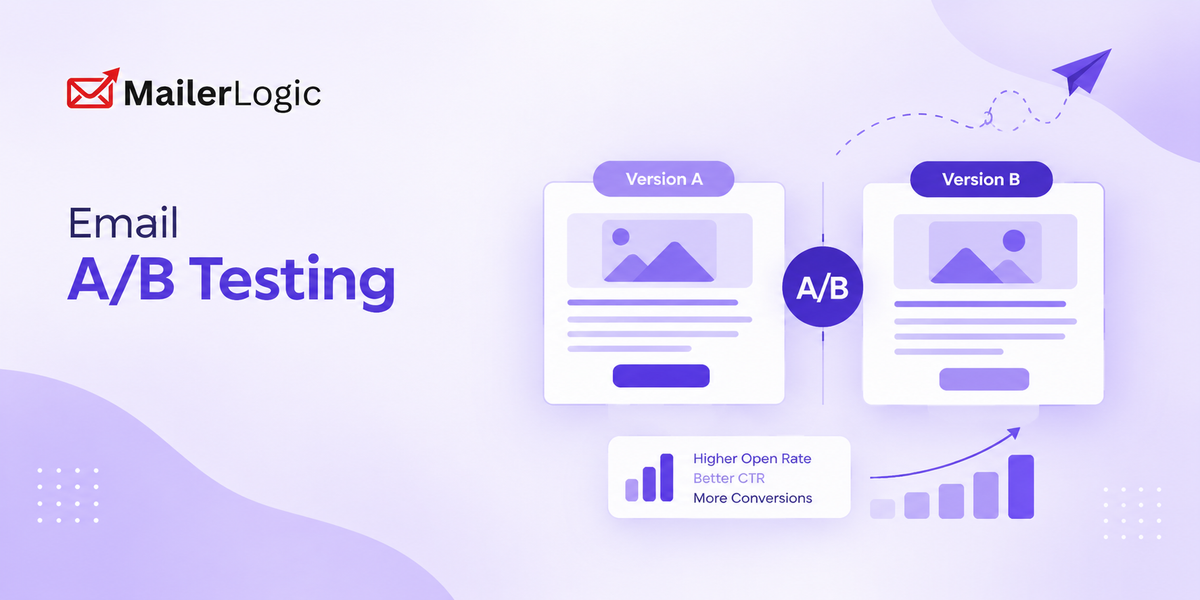
Email A/B testing (also called split testing) means sending two versions of an email, identical except for one changed element, to two random, comparable slices of your list, then measuring which version performs better against a single metric.
The mechanics are simple. The discipline is not. Three rules make or break every test:
- Change one variable at a time. If you change the subject line and the CTA button color in the same test, you won't know which one moved the needle.
- Split randomly, not by convenience. Splitting by "everyone who opened last week vs. everyone who didn't" isn't a test; it's a biased sample that will confirm whatever you already believed.
- Match your metric to your variable. Subject lines are judged on open rate. CTAs are judged on click-through rate. Send times are judged on both, plus how quickly opens happen after send. Mixing these up is one of the most common reasons teams misread their own results.
Testing Subject Lines
Subject lines are the highest-volume test most teams run, and for good reason: they're the single biggest lever on open rate, and they're cheap to test.
What's actually worth testing:
- Length. Short, direct lines against longer, more descriptive ones. There's no universal winner; it depends on your list and your industry, which is exactly why you test instead of copying a "best practice" number from a blog post.
- Personalization. A first name or company name in the subject line against a generic version.
- Curiosity vs. clarity. A subject line that teases the content against one that states the value outright. Curiosity often wins on open rate and loses on complaint rate; track both.
- Urgency and scarcity language. "Ends tonight" style framing against a neutral version. This is where overuse backfires fastest: audiences that see urgency in every subject line stop responding to it.
- Emoji use. One well-placed emoji can lift open rate on mobile; two or three can read as spam and hurt deliverability. Test in isolation, not as an assumption.
The trap to avoid: testing subject lines on a list too small to produce a real signal. If your list is a few hundred people, a 2-3 percentage point difference in open rate is statistical noise, not a finding. Bigger lists can detect smaller, real effects; smaller lists need bigger differences before you can trust what you're seeing, so on a small list, test bolder variations rather than minor wording tweaks.
Testing Send Times
"Best time to send email" is one of the most searched questions in email marketing, and also one of the most misleading to answer generically. Benchmark studies vary on the "best" day and hour, and that variation itself is the lesson: aggregate benchmarks reflect a blend of every industry, audience, and time zone. Your list is not the aggregate.
What send-time testing actually looks for:
- Day of week. Weekday vs. weekend performance differs sharply by audience; B2B lists usually favor weekdays; consumer lists often don't.
- Time of day. Morning, midday, and evening sends against each other, tracked separately for open rate and how fast opens happen after send (time-to-open). A send that opens slowly might still hit a high total open rate; it just took your audience longer to check their inbox.
- Time zone segmentation. If your list spans time zones, "9 am send" means something different to everyone on it unless you're sending relative to each recipient's local time.
The trap to avoid: running a send-time test once and locking in the "winner" forever. Audience behavior shifts with seasons, work patterns, and even news cycles. Treat send time as something you re-test periodically, not a setting you configure once.
Testing CTAs
The CTA is the last thing standing between an opened email and a completed action, which makes it worth testing as rigorously as the subject line, even though it gets far less attention in most testing programs.
What's worth testing:
- Button vs. text link. Buttons generally draw more attention; text links can feel less "salesy" in relationship-driven emails. Which wins depends on the type of email and the relationship with the reader.
- Copy. Action-first phrasing ("Get the guide," "Start your trial") against benefit-first phrasing ("See how it works"). Generic phrasing like "Click here" or "Submit" almost always underperforms specific, outcome-oriented copy.
- Placement and count. One CTA repeated near the top and bottom of a long email against a single CTA appearing once. More CTAs isn't automatically better; it can dilute focus and lower the rate on the one action you actually want.
- Color and contrast. This matters far less than copy and placement, but it's an easy, low-risk test to run once the bigger variables are settled.
The trap to avoid: judging a CTA test on open rate. A CTA change can't affect whether someone opens the email; it can only affect what they do once they're inside. Judge it on click-through rate, and if you can track it, on the completion rate of whatever the CTA leads to (signup, purchase, reply).
How to Run a Test You Can Actually Trust
Three things separate a real result from a coincidence:
Sample size. Before you launch a test, have a rough sense of how large a difference you'd need to see to trust it, given your list size. Smaller lists need bigger, more obvious gaps between variants before you can rule out chance. If you're not sure, err toward testing bolder variations on smaller lists rather than subtle ones.
Test duration. Don't call a winner within the first hour. Most opens happen in a window of several hours to a couple of days after send, depending on your audience and time zone spread. Calling a test early because one variant is "ahead" is one of the most common ways teams talk themselves into a false result.
The variable you're not testing: deliverability. This is the part most A/B testing guides skip, and it's the one that can quietly invalidate an otherwise well-designed test. If variant A lands in the inbox and variant B lands in the spam or promotions folder, you're not comparing two subject lines; you're comparing two different delivery outcomes, and the subject line had nothing to do with it. Sending infrastructure, domain reputation, and inbox placement all affect which emails your recipients even see, before your test's actual variable ever comes into play. A test run on a domain with inconsistent deliverability isn't measuring what you think it's measuring.

Explore MailerLogic
See your open rates, time-to-open, and inbox placement in one dashboard
Start Free — No Credit CardRunning Tests Without a Built-In Split-Test Button
Not every sending platform has a one-click A/B testing feature, and that's not the disqualifying gap it might seem to be. You can run every test in this guide manually, and doing it manually forces you to understand your methodology instead of trusting a black box:
- Split your list with segments or tags. Tag a random, comparable percentage of your list as Segment A and the rest as Segment B. Most CRMs and email platforms, MailerLogic included, support this natively through contact segmentation and tagging.
- Send each variant to its segment. Same send time, same list quality, one changed variable.
- Compare the right metric. Pull open rate for subject line tests, click-through for CTA tests, and open rate plus time-to-open for send-time tests.
- Rule out deliverability as a confound. Check inbox placement and domain reputation for the sending window before you trust the result. If one variant's audience saw a worse deliverability outcome, the test is void, not concluded.
This manual approach is slower than clicking a "start A/B test" button, but it has one underrated advantage: you can't misuse it without noticing, because you built each step yourself.
The Bottom Line
Subject lines earn the open. CTAs earn the click. Send time decides whether either one gets a fair chance to work. Test one variable at a time, size your sample honestly, give the test enough time to resolve, and don't forget that a test is only as good as the inbox placement behind it; a well-worded subject line that lands in spam will always lose to a mediocre one that lands in the inbox.
Whether your platform gives you a dedicated split-test button or just segments and tags, the methodology above is what actually produces a trustworthy result.